


In an increasingly competitive digital space, choosing the right web hosting provider can significantly impact your online success. Whether you’re launching a personal blog, an ecommerce store, or a business portfolio, performance, pricing, and support are key considerations.
In this Hostinger review, we’ll explore whether this popular hosting provider lives up to the hype for UK users in 2026. With advanced AI tools, beginner-friendly interfaces, and robust performance, let’s see how Hostinger stacks up.
Hear the Verdict: Hostinger Review (2026)
What Is Hostinger, and What Does It Offer?

Hostinger is a globally recognised and fast-growing web hosting provider, known for combining affordability with strong performance and user-friendly tools.
Trusted by over 4 million users across 150+ countries, including the UK, Hostinger powers more than 10 million websites worldwide, making it one of the most widely used hosting platforms today.
Its services are built to support everyone from first-time website owners to developers and growing businesses, with a focus on speed, simplicity, and scalability.
Key Services Include:
- Shared Web Hosting
- Cloud Hosting
- VPS Hosting
- WordPress Hosting
- WooCommerce Hosting
- Minecraft and Game Server Hosting
- Self-hosted n8n Workflows
- Domain Registration & Business Email
- AI Website Builder and Logo Generator
Hostinger’s ecosystem is designed to provide everything a website owner needs, from domain to design, hosting to marketing, all under one roof.
What Makes Hostinger Stand Out in 2026?
In a crowded hosting market, Hostinger positions itself as a performance-driven, AI-focused platform with aggressive pricing. For UK users in 2026, it stands out primarily for its modern infrastructure, automation tools, and simplified hosting experience, particularly at the entry level.
However, while these features look impressive on paper, their real-world effectiveness varies depending on the type of website, technical needs, and reliance on support.
Speed and Performance Infrastructure (Real-World Testing)
To assess Hostinger’s real-world performance rather than relying purely on specifications, I hosted a live website on Hostinger and tested its speed and performance directly. Based on multiple tests, the site consistently delivered around 90% performance scores, which is strong for a shared hosting environment at this price point.
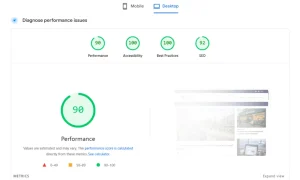
Page load times were generally fast, and the site handled normal traffic smoothly. Hostinger’s use of LiteSpeed web servers, NVMe SSD storage, and built-in caching clearly contributes to these results, especially for WordPress-based websites. When combined with a lightweight theme and basic optimisation, the platform is capable of producing genuinely good performance.
That said, this level of performance reflects ideal conditions, a well-optimised site with moderate traffic. Performance can vary depending on:
- The hosting tier used
- Resource limits on shared plans
- Traffic spikes or heavy plugins
While Hostinger performs well for small to medium websites, it’s important to note that shared hosting still has constraints. As traffic increases or sites become more resource-intensive, maintaining similar performance levels may require upgrading to Business or Cloud hosting.
Overall, based on my own testing and the attached performance screenshot, Hostinger delivers solid speed for the price, but it’s not immune to the limitations that come with lower-tier shared hosting environments.
hPanel: Simplified but Restrictive
Hostinger uses its own custom control panel, hPanel, instead of traditional options like cPanel or Plesk. From my own experience, hPanel has worked well for my website. The interface is clean, logically structured, and makes everyday hosting tasks easy to manage without unnecessary technical complexity.
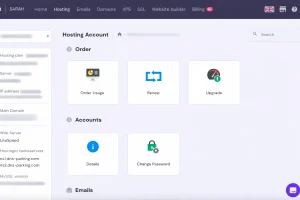
Basic actions such as switching PHP versions, managing backups, enabling LiteSpeed cache, handling emails, and installing WordPress are clearly presented and have been reliable in day-to-day use. For routine website management, I find hPanel straightforward and far less cluttered than older hosting dashboards.
This positive experience is echoed by some users, particularly WordPress site owners. One business user shared the following feedback:
“Hostinger has been a game-changer for my WordPress real estate site (renthouzz.in) in Bengaluru! The hPanel is super intuitive for managing PHP versions, backups, and LiteSpeed cache – no more compatibility headaches or slow loads. Outstanding 100% uptime, lightning-fast speeds, and reliable security tools like malware scanning keep my rentals listings running smoothly 24/7. information and notifications for quick, updates of plugins and themes as professional, and multilingual – perfect for quick fixes on themes like Houzez. Affordable, performant, and beginner-friendly; highly recommend for any business site.”
— Madhu Kumar G, IN
However, while hPanel performs well for day-to-day management, its limitations become noticeable when users try to make plan changes, upgrades, or pricing adjustments.
Several users report that hPanel follows rigid internal rules that cannot be overridden, even when the outcome feels unreasonable. One VPS customer described how attempting to upgrade resulted in a higher cost than purchasing the same plan as a new customer:
“My experience with Hostinger has been extremely disappointing. I attempted to upgrade my VPS during the 30-day money-back period, assuming I could simply pay the difference — something every reasonable hosting provider offers.
Instead, Hostinger’s upgrade system tried to charge me more than the total cost of buying the higher plan brand-new.
To be clear:
Upgrade cost in hPanel: US$ 249.29
Cost of buying the exact same VPS as a new customer: US$ 239.76
How does it make any sense that an upgrade costs more than a full new plan?
It feels like Hostinger punishes existing customers instead of valuing them.
Support acknowledged the issue but said they can’t fix it, can’t adjust the upgrade price, and can’t honor the actual advertised plan cost. Their “solution” was for me to cancel, wait for a refund, and then buy the VPS again — causing downtime and needless inconvenience.
This is not a customer-first approach; it’s a rigid system that puts Hostinger’s process above common sense.
Even the support agent admitted they could do nothing except offer small coupons, which still don’t fix the fact that the upgrade price is higher than a brand-new purchase.
Hostinger needs to rethink this policy. Right now, upgrading with them is not just inconvenient — it’s irrational and unfair.”
— Yahya B, ZA
In situations like this, users are sometimes advised to cancel their plan, wait for a refund, and repurchase at a new price, a workaround that introduces downtime and unnecessary disruption. While support may acknowledge the issue, hPanel itself offers little flexibility once a user is locked into an existing plan.
Overall, my experience with hPanel has been positive for managing a standard WordPress site, and it performs well for everyday hosting tasks. However, based on wider user feedback, its limitations become more apparent as hosting needs grow. For users expecting smooth upgrades, transparent pricing logic, and flexibility as existing customers, hPanel can feel restrictive.
It’s a solid control panel for getting started, but not always the most accommodating once your hosting requirements begin to evolve.
AI Website Builder and Automation Tools
Hostinger’s AI Website Builder is designed to speed up website creation by generating layouts, text, and images based on simple prompts. For first-time users or quick projects, this can significantly reduce setup time.
The builder works best for:
- Simple business websites
- Landing pages
- Personal blogs and portfolios
However, customisation depth is limited compared to dedicated website builders or manual WordPress setups. As sites grow or require more tailored design and functionality, many users eventually migrate away from the AI builder toward WordPress or custom solutions.
Hostinger Horizons: No-Code Creation with Limits
Hostinger Horizons aims to take automation further by allowing users to create websites or apps through prompts, images, or voice input. In theory, this lowers the barrier to launching digital projects.
In practice, Horizons is best viewed as an experimental tool rather than a full replacement for traditional development. It can be useful for prototypes or simple projects, but users with production-level expectations may encounter limitations around stability, predictability, and long-term control.
Live Support and AI Assistance
Hostinger offers 24/7 live chat support, backed by its AI assistant, Kodee. For routine technical issues, this setup can work well, particularly for beginners who need help with email settings, basic hosting tasks, or WordPress-related problems.
Some users report genuinely positive experiences when they reach a knowledgeable support agent. One customer shared:
“I was have trouble with emails not sending or receiving. Mae from support helped me get it back up and running. A recent business task for my business had to be taken care of and if it wasn’t for Mae I would not have been able to figure it out”
— Gabriel Ramos, US
However, when issues become more complex or business-critical, the support experience appears far less consistent. Several users describe being funnelled through chatbots before reaching a human agent, with long wait times and little visibility on how long help will take.
A business user highlighted the downside of this approach:
“HOSTINGER: Complete Service Failure, Fraudulent Charges, and Refusal to Refund Unused Service
I am writing this review to warn future customers about the absolutely abysmal service, misleading charges, and non-existent human support I experienced with Hostinger. This has resulted in my website and crucial business email being down for weeks, causing significant financial loss.
Key Issues:
Non-Existent Technical Support and Unacceptable Wait Times: My website and business email have been down since November 12, 2025. I was forced to deal with an unhelpful chatbot (Kodee) and then wait over an hour in a queue for a human specialist. I was given no visibility on wait times, demonstrating a pathetic lack of commitment to customer service.
Misleading and Unjustified Charges (The £143.86 Issue): I was charged £143.86 on September 29, 2025, for “Business Web Hosting.” Hostinger failed to notify me that my domain renewal was a separate issue, allowing it to expire. The specialist later confirmed the domain was expired and in the PENDING_DELETE stage.
CRITICAL POINT: How can Hostinger justify charging me £143.86 for a web hosting service when the associated domain (my website’s address) is expired and now unavailable, rendering the hosting completely useless? I was charged for a service that was non-functional due to an external factor Hostinger knew about.
Unethical and Inflexible Refusal of Prorated Refund: Since my domain is now permanently unavailable, I cannot use the hosting service I paid for. I politely requested that Hostinger subtract the service used (even if just one month) and refund me the remainder of the £143.86.
The specialist (Pedro) repeatedly refused this reasonable request, stating, “It is our refund policy, I’m sorry, it will not be possible,” and “It is not possible to refund because the refund period given by Hostinger has expired.”
The specialist even claimed the auto-renewal feature, which resulted in the charge, must have been activated by me: “Only you can enable or disable this feature; if it is active, it was done on your side. I’m sorry, a refund will not be possible!”—shifting blame despite the service being unusable.
Refusal to Escalate: When I asked if I could speak to a finance manager or team member to discuss the refund for the unused service, the specialist refused to acknowledge the request and simply repeated the same canned response: “It is our refund policy, I’m sorry, it will not be possible.” This demonstrates a complete failure of internal structure and customer care.”
— Nazeer
Concerns are also raised around billing disputes and refunds, where support agents reportedly have limited authority to escalate cases or offer practical solutions beyond repeating policy terms.
Overall, Hostinger’s live support works best for straightforward technical queries but can feel restrictive when problems involve billing, refunds, or prolonged downtime. For small sites and simple issues, it’s usually sufficient; for businesses that depend on fast, flexible support during critical situations, expectations should be set accordingly.
Security, Uptime, and Reliability
Hostinger includes free SSL certificates, malware protection tools, and a 99.9% uptime guarantee, which aligns with industry standards. For most users, uptime reliability is solid, and major outages are uncommon.
Security features are adequate for standard websites, though advanced users may want more granular control or external security layers for mission-critical projects.
Overall Take on What Sets Hostinger Apart
Hostinger stands out in 2026 for combining modern infrastructure, AI-driven automation, and low entry pricing into a single platform. It excels at helping users get online quickly and affordably.
However, its strengths are most apparent at the entry and mid-level, and users with growing, complex, or business-critical sites should be aware that performance, flexibility, and support depth improve mainly with higher-tier plans.
How Much Do Hostinger Hosting Plans Cost?
In 2026, Hostinger continues to strengthen its reputation in the UK by offering high-performance hosting plans at aggressively competitive prices, combined with AI-powered tools and flexible long-term subscriptions.
Whether you are launching a personal website, managing multiple client projects, or scaling an ecommerce business, Hostinger’s hosting plans are designed to grow alongside your needs without adding unnecessary complexity.
Below is a detailed breakdown of Hostinger’s main hosting options, including pricing, features, and who each plan is best suited for.
1. Web Hosting: Ideal for Beginners, Bloggers & Small Businesses
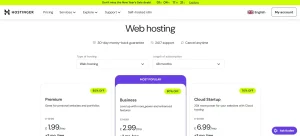
Hostinger’s shared web hosting plans are specifically designed for users who want an affordable, reliable, and beginner-friendly way to get online. These plans are perfect for personal websites, portfolios, blogs, and small business sites that don’t yet require advanced server resources.
Plan Monthly Price 4-Year Total Renewal Price Key Features
Premium £1.99/mo £95.52 £10.99/mo Host 3 websites, 20GB SSD storage, 2 mailboxes per site, free SSL, AI Website Builder, weekly backups
Business (Most Popular) £2.99/mo £143.52 £13.99/mo Host 50 websites, 50GB NVMe storage, 5 Node.js apps, daily backups, free CDN, AI WordPress Agent
Cloud Startup £6.99/mo £335.52 £20.99/mo Host 100 websites, 100GB NVMe storage, dedicated IP, 4GB RAM, priority expert support
These shared hosting plans offer an excellent balance of affordability and performance, making them a strong long-term choice for users who want room to grow without upgrading too early.
2. VPS Hosting: Built for Developers and Performance-Critical Projects
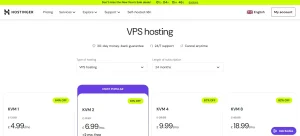
Hostinger’s VPS hosting plans are created for users who need greater control, dedicated resources, and predictable performance. Using KVM virtualisation and NVMe storage, these plans are well-suited for developers, growing businesses, and custom applications.
Plan Monthly Price Renewal Price Specifications
KVM 1 £4.99/mo £8.99/mo 1 vCPU, 4GB RAM, 50GB NVMe, 4TB bandwidth
KVM 2 (Most Popular) £6.99/mo £10.99/mo 2 vCPU, 8GB RAM, 100GB NVMe, 8TB bandwidth
KVM 4 £9.99/mo £22.99/mo 4 vCPU, 16GB RAM, 200GB NVMe, 16TB bandwidth
KVM 8 £18.99/mo £39.99/mo 8 vCPU, 32GB RAM, 400GB NVMe, 32TB bandwidth
These VPS plans are ideal for users who have outgrown shared hosting and require more flexibility, scalability, and server-level control for demanding workloads.
What Other Plans and Services Does Hostinger Offer in the UK?
Beyond standard hosting, Hostinger provides a complete ecosystem of AI-driven tools, website builders, email solutions, and automation services, allowing users to manage their entire online presence from one platform.
1. Website Builder Plans: Fast, No-Code Website Creation with AI
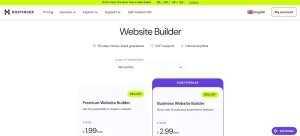
Hostinger’s Website Builder plans are designed for users who want to create professional-looking websites quickly, without coding or technical setup. Powered by AI and modern design tools, these plans are ideal for entrepreneurs, creatives, and small businesses.
Plan Monthly Price Key Features
Premium £1.99/mo 1 website, 5 pages, 2GB storage, AI Website Builder, 170+ templates, SEO tools
Business (Most Popular) £2.99/mo 50 websites, unlimited pages, 50GB storage, ecommerce tools, AI content & image generators
These plans are perfect for users who value speed, simplicity, and design flexibility, without the overhead of managing plugins or hosting configurations.
2. Hostinger Horizons: AI-Powered Website & App Creation
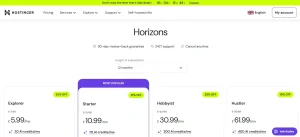
Hostinger Horizons takes automation a step further by allowing users to build websites or applications using simple text, image, or voice prompts. This service is aimed at creators, freelancers, and digital entrepreneurs who want rapid development without coding.
Plan Monthly Price AI Credits Best Use Case
Explorer £5.99/mo 30 credits Simple personal projects
Starter (Most Popular) £10.99/mo 70 credits Freelancers and small businesses
Hobbyist £30.99/mo 200 credits Advanced creators
Hustler £61.99/mo 400 credits Power users and agencies
Horizons is especially useful for users experimenting with new ideas or launching multiple projects quickly, without relying on external development resources.
3. Business Email Hosting: Professional Communication with AI Support
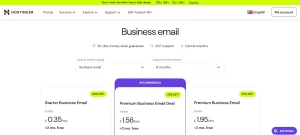
Hostinger’s business email hosting plans are built to help users establish credibility with domain-based email addresses, enhanced by AI-powered productivity features that streamline daily communication.
Plan Monthly Price Storage Key Benefits
Starter £0.35/mo 10GB Basic mailbox, aliases, forwarding
Premium Business (Recommended) £1.56/mo 50GB AI replies, summaries, smart search
Premium (Single Mailbox) £1.95/mo 50GB Full AI tools, higher send limits
These email plans are well-suited for freelancers, startups, and teams that want reliable, professional communication without paying enterprise-level prices.
4. Email Marketing Plans: AI-Driven Campaigns Made Simple
Hostinger’s Email Marketing service (Reach) is designed for businesses that want to grow their audience through automated, AI-powered email campaigns. It integrates seamlessly with Hostinger websites and WordPress installations.
Plan Price Subscribers Monthly Emails
Free £0.00/mo Up to 100 200 emails
Monthly £4.99/mo Up to 500 3,500 emails
Yearly (Best Value) £1.99/mo Up to 500 3,500 emails
These plans are ideal for small businesses and ecommerce stores looking to automate customer communication while maintaining brand consistency.
Taken together, Hostinger’s wide range of hosting, AI, website-building, and marketing plans make it one of the most flexible and future-ready platforms available in the UK for 2026.
With transparent pricing, strong performance, and tools designed for both beginners and professionals, Hostinger offers a clear pathway from first website to fully scaled online business.
What Are the Key Features That Come with Hostinger Hosting Packages?
Hostinger includes a wide range of built-in features designed to make website creation fast, secure, and beginner-friendly. Even on its lower-tier plans, Hostinger focuses on performance, automation, and ease of use, allowing users to launch and manage websites with minimal technical effort.
Hostinger packs an impressive suite of features, even in its entry-level plan:
- Free Domain (1 Year): Included with annual plans
- Free SSL Certificate: Boosts SEO and site security
- AI Website Builder: Build sites in minutes with a simple prompt
- SSD/NVMe Storage: Speeds up website load times
- Automated Backups: Weekly or daily depending on plan
- CDN Integration: For faster global delivery
- 1-click WordPress Installer: Launch sites with ease
- AI Marketing Tools: Create branded email campaigns via Reach
- Custom Email Hosting: Free business emails for one year
- Unlimited Bandwidth: For Business and Cloud plans
These features make Hostinger a strong option for beginners, bloggers, and small businesses that want modern tools without high costs.
With AI-powered website building, solid security, and scalable resources, Hostinger delivers excellent value for users looking for reliable hosting that can grow alongside their website.
How User-Friendly Is Hostinger for Beginners and Non-Tech Users?
At first glance, Hostinger presents itself as a beginner-friendly platform, with a modern dashboard and simplified setup designed to reduce technical friction. For users launching a basic website or small WordPress blog, the interface can feel approachable initially, and many tools are clearly labelled to help first-time users get started.
However, real user experiences suggest that this ease of use does not always extend beyond the early stages, particularly when something goes wrong or when sites become more complex.
Hostinger’s custom control panel (hPanel) is visually clean, but several users report that it can feel confusing or restrictive, especially for anything outside standard WordPress use. Features are simplified, sometimes at the expense of transparency, which can frustrate users trying to diagnose issues or manage more advanced configurations.
Drag-and-Drop Tools and AI Assistance: Helpful, but Limited
Hostinger’s drag-and-drop website builder and Kodee AI assistant are promoted as tools that eliminate the need for technical knowledge. While they can help with basic site creation, multiple reviews indicate that AI-driven guidance breaks down quickly in real-world scenarios.
Users report that:
- AI suggestions can be generic or misleading
- Automated fixes do not always match the actual issue
- Escalation to skilled human support is slow or unclear
When problems fall outside simple templates or default settings, users often find themselves looping through chatbots and scripted responses rather than receiving direct technical help.
Migration and Media Issues Highlight Support Weaknesses
One of the strongest criticisms from non-technical and intermediate users involves website migration and post-migration stability.
A detailed review from a long-term WordPress user highlights how quickly usability can collapse when issues arise:
“I migrated from SiteGround to Hostinger because SiteGround’s renewal costs are really high, and the page speed they offer on shared hosting is poor. But it seems that going for Hostinger was a big mistake. Auto-Migration went well, and my wife’s website works all good.
But after several weeks, I noticed that many images on my website are not working. My website has over 300+ articles and over 3k images, so manually replacing them is not an option. I replaced the upload folders completely. Refreshed permalinks, regenerated thumbnails. Those did not help.
Then I contacted Hostinger’s support, and oh boy, the worst service of all time. It’s now been over 7 days they’ve been trying to fix the issue. It’s almost always a new customer service rep sending me messages like, “do migration again”, “i have contacted our technical support”, “i will get back to you shortly” when I send messages to our open chat/conversation.
They replaced the upload folders because it seems Hostinger has some server-side automatic image optimization that changes the image URLs. The amount of broken images jumped on estimate from 30% to over 50%. Then I started to demand manual re-migration and provided them a SiteGround access. Then they went silent for 3+ hours, I asked if there were updates, their replies were “tech team will inform me soon”, “tech team updates us in 24 hours”. In the morning, almost 20 hours after I provided them a Siteground access, they sent me this:
“Thank you for your patience. We’ve checked our email records but were unable to find a collaboration or migration request related to blog.guitaristnextdoor.com. To help speed up the re-migration process, please create a full backup from your previous hosting server (including website files and the database) and share it with us. Once we receive the backup, we’ll proceed with the migration as quickly as possible.”.
This took them over 20 hours. To me it seems that they got the Siteground access (I used the email they gave me), but they did not know how to work with it, otherwise, they would have asked me to try to create a new user for them or send a new request to the same email. So now they want me to manually provide a full website backup with all databases and files.
I just replied to them about me providing full files not helping if something on Hostinger’s setup alters the images, since we already tried me providing the uploads folder.
It seems they have no idea how to fix this and I have basically two options: try to figure out a way to fix this myself or go back to Siteground and enjoy working website but pay for 2 hostings at the same time.
I have changed hosts previously from SiteGround to Rocket.net and then from Rocket.net back to SiteGround. Both went perfectly with no issues. Hostinger has some serious issues.
Overall, extremely unprofessional service. I recommend avoiding this hosting company.”
— Teemu Suomala, FI
The same user described repeated hand-offs between support agents, long response delays, and ultimately being asked to manually provide full backups despite already granting access, something they felt demonstrated a lack of technical understanding rather than a user error.
For non-technical users managing large content sites, experiences like this undermine Hostinger’s reputation as a “simple” hosting solution.
hPanel and Advanced Setups Can Be Frustrating
Hostinger’s usability also receives criticism from users attempting more advanced setups, even when following official documentation.
One reviewer described their experience with Node.js deployment:
“Hostinger support has been extremely disappointing. Their hPanel is confusing and poorly designed for Node applications. I followed their official instructions and upgraded as suggested, but the site still hasn’t worked. It’s been hours and my site is completely down. Support hasn’t provided any real solution so far. Not reliable at all”
— Atiq Ur Rehman, PK
This highlights a recurring issue: while Hostinger simplifies common workflows, it can become limiting or unreliable for anything beyond standard use cases, even for users willing to follow documentation carefully.
When Problems Arise, Support Experience Undermines Usability
Several users report that Hostinger feels user-friendly only until an issue appears. Once problems arise, the lack of consistent, skilled human support becomes a major barrier.
A UK customer summed this up succinctly:
“awful service, tech support that don’t really no what they are doing and not very helpful if they are real or not im unsure. all seems to be great until you have an issue of which ive found many since starting with this company. Im in process of moving away from using this company after just a few weeks.”
— Colin Catson, GB
This pattern appears repeatedly in negative reviews: smooth onboarding followed by frustration when users need real assistance.
Overall Usability Assessment (Critical View)
Hostinger can feel user-friendly for simple, short-term projects, particularly for beginners launching their first website. However, usability drops sharply when:
- Sites grow larger
- Migrations encounter issues
- Media handling breaks
- Advanced features are needed
- Support intervention becomes necessary
For non-technical users who expect reliable, hands-on help when something goes wrong, Hostinger’s automation-heavy approach and inconsistent support experience can quickly turn a “simple” platform into a stressful one.
As a result, Hostinger’s ease of use is best described as surface-level: effective during setup, but increasingly fragile as real-world complexity and support dependency increase.
What Kind of Support Does Hostinger Provide to UK Customers?
Hostinger offers reliable, round-the-clock support designed to suit both beginners and experienced users in the UK. Its primary support channel is 24/7 live chat, where trained agents handle everything from basic setup questions to more technical issues.
Cloud Hosting users also benefit from priority expert support, ensuring faster responses for complex requests.
Beyond live assistance, Hostinger provides a strong self-help ecosystem that makes troubleshooting simple and accessible.
Support resources include:
- A comprehensive Knowledge Base with clear answers to common FAQs
- Step-by-step tutorials, including videos and articles for building and managing websites
- Hostinger Academy, offering beginner-friendly guides and practical learning paths
- An AI support assistant, Kodee, which helps with setup and quick problem resolution
- Detailed “How to make a website” guides for launching sites from scratch
Overall, Hostinger’s mix of human, AI, and educational support makes it especially approachable for UK users with varying technical skills.
What Are the Pros and Cons of Using Hostinger?
Hostinger is often marketed as a low-cost, AI-driven hosting provider designed to make website creation simple. While it does offer some useful features at an attractive entry price, real-world user feedback shows that the downsides become more apparent the longer you use the service.
For many customers, the main issues are not initial performance, but billing practices, support accessibility, and plan restrictions, which can significantly affect long-term satisfaction.
Pros (Limited but Notable)
- Cheap introductory pricing, which can be appealing for short-term or first-time projects
- AI tools for basic website creation, helpful only for simple setups
- Free domain, SSL, and email included initially, though tied to long contracts
- Decent performance on paper, with NVMe storage and CDN available
- Easy WordPress installation, suitable for non-technical beginners
Cons (Frequently Reported by Users)
- Sharp price increases at renewal, often multiple times higher than the initial rate
- Auto-renewals charged weeks in advance, with refund requests commonly reported as difficult
- No phone support at all, even for urgent or billing-related issues
- Over-reliance on chatbots and AI, making it hard to reach real human support
- Inconsistent guidance during migrations, with conflicting instructions reported by users
- Premium shared plans still lack Node.js support, limiting developer flexibility
- Strict resource limits on lower-tier plans, forcing upgrades sooner than expected
- Newer services like Hostinger Horizons receive mixed to negative feedback, including reports of lost code and unstable behaviour
Overall Verdict (Critical View)
Hostinger may work for users who want the cheapest possible entry into web hosting and are comfortable relying on automated support systems. However, for long-term projects, growing businesses, or users who value transparent billing, reliable human support, and predictable scalability, the drawbacks are difficult to ignore.
Once promotional pricing ends and real support is needed, many users report that Hostinger becomes less flexible, more expensive, and harder to deal with. As a result, it is best viewed as a short-term or entry-level solution rather than a dependable long-term hosting partner for serious websites.
What Do Real Users Say About Hostinger Hosting in 2026?
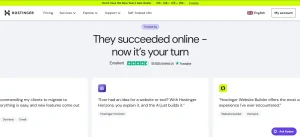
With over 59,000 verified reviews and a TrustScore of 4.5 out of 5, Hostinger continues to receive strong feedback from users worldwide. Customers consistently praise its affordability, fast performance, and ease of use, particularly for WordPress sites, VPS hosting, and beginners launching their first websites.
Review summaries show that users value Hostinger’s polite and professional support team, clear guidance during setup, and tools that simplify technical tasks. Many reviews highlight that the platform “just works,” reducing the need for frequent support while still offering help when needed.
Here’s what recent users say:
“Hostinger has been a great web host for my purposes. Their service just works.” – Daniel McJunkin
“Kodee led me step by step to deploy my Laravel application. Amazing support.” – Robert
“Affordable, user-friendly, and reliable. I moved all my sites to Hostinger.” – Carl
Overall, real user feedback in 2026 shows that Hostinger delivers excellent value, dependable performance, and beginner-friendly support, making it a highly recommended hosting provider.
What Negative Reviews and Complaints Do Some Hostinger Users Report?
Although Hostinger maintains strong overall ratings on major review platforms, a closer examination of one-star reviews and detailed customer complaints paints a more nuanced picture. While many users are satisfied with performance and pricing, a noticeable segment of customers report frustration in areas where expectations and reality do not always align.
These negative reviews tend to come from users who have been with Hostinger longer, rely on its newer AI-driven services, or encounter billing or support issues that require human intervention rather than automation.
Auto-Renewals, Early Charges, and Refund Disputes
One of the most frequently repeated criticisms relates to automatic renewals and billing timing. Several users state that Hostinger charges for renewals weeks in advance, sometimes without what they consider adequate warning.
For some customers, the main frustration is not the renewal itself, but what happens afterward — particularly when requesting a refund.
A UK customer described their experience as follows:
“Auto renews a month in advance without warning and refuses to refund, just sends you in circles with a chatbot. Avoid.”
— Mike, GB
This sentiment appears repeatedly in low-rating reviews, where users feel trapped in automated systems during billing disputes. Even when users acknowledge that auto-renewal terms exist, they often say the process feels difficult to reverse once payment is taken, especially when human support is not immediately accessible.
Heavy Reliance on AI and Lack of Human Interaction
Another major theme in negative reviews is Hostinger’s strong reliance on AI-driven support, particularly through its chatbot and Kodee assistant.
While automation works well for basic tasks, many dissatisfied users report that:
- Chat conversations feel scripted
- Escalation to a human agent can be slow or unclear
- Support emails appear automated rather than personalised
This issue becomes more pronounced when dealing with complex problems, such as development issues, data loss, or advanced configuration errors.
One particularly detailed complaint highlights frustration with Hostinger Horizons and AI-based workflows:
“I have purchased hostinger products and have paid for horizons too , many time. The worst is there is no human interaction to solve your problems. Ece the support email is operated by chatbots. frustrated!!!(1) I have done auto-pay off yet i got charged through card, because they keep trying all ways. Yet i did not complain.(2) My code has got erased in horizons and on previous occasions has got changed weirdly and lost it. I mostly see the code acting weired especially when around 100 credits are left, is it so that entire thing is ruined automatically as horizons acts up and we are forced to subscribe??? Max, they put up a fake display saying: A colleague will join soon. If you want to continue chatting with Kodee, you can leave the queue. ………………that stays forever on kodee..”
— SMART EDU HUB, IN
The same reviewer also described chat queues that never resolve, with messages stating “A colleague will join soon” remaining indefinitely. For users expecting traditional hosting support, this level of automation feels impersonal and, at times, unhelpful.
Concerns About Support Transparency and Escalation
Some of the strongest negative reviews come from users who experienced extended disputes with Hostinger support.
In these cases, frustration escalates beyond slow replies into concerns about transparency, access to records, and the ability to resolve disagreements fairly.
One customer described a prolonged issue involving support access and chat history:
“My team member previously posted a review regarding how Hostinger is hiding evidence, and their reply was nothing but a pack of lies.
The Reality vs. Hostinger’s Lies:
Blocking Support: After we demanded our full 1-year chat history, Hostinger blocked our access to live support for over 65 hours! This is a blatant attempt to silence a customer who is asking for the truth.
Fake Claims about Emails: In their reply, Hostinger claimed that chat transcripts are sent automatically when a chat closes. This is a 100% lie. We have not received a single chat transcript in our email since day one.
Fear of Evidence Tampering: Because Hostinger is stalling and refusing to provide the logs, we have serious concerns that they are currently modifying or deleting our chat history to cover up the fact that their system”
— Khan, PK
While claims like these reflect individual experiences rather than verified conclusions, they demonstrate how quickly trust can erode when users feel cut off from support during disputes. For business users managing live websites, even short periods without assistance can feel critical.
Migration Problems and Conflicting Instructions
Website migration is another area where negative feedback appears repeatedly, particularly among users relying on AI guidance or multiple support agents.
Several reviewers report receiving conflicting instructions during migration processes, leading to confusion, downtime, or failed setups.
A UK user shared their experience after attempting a migration guided by Hostinger’s AI tools:
“Said easy migration kodee there bot totally gave wrong instructions and you apologised but was totally messed about by this time 24 hours later communication hit and miss was was told to change ips then nameservers this would not work a total waist of time and your team all gave different information was left confused thank you for a waisted day on my life.”
— Mark Maxwell, GB
This type of feedback is especially common among users migrating existing sites rather than starting fresh. It suggests that while Hostinger promotes “easy migration,” real-world outcomes may depend heavily on the complexity of the website and the level of human support involved.
What These Negative Reviews Reveal Overall
When viewed together, Hostinger’s negative reviews tend to focus on process and support, rather than core infrastructure failure.
The most common pain points include:
- Billing and early auto-renewals
- Difficulty obtaining refunds
- Over-automation of customer support
- Limited escalation paths for complex issues
- Growing pains around newer AI products like Horizons
Notably, few negative reviews claim that Hostinger is unusable or consistently offline. Instead, dissatisfaction often arises when users expect hands-on support, flexible billing, or personalised assistance and instead encounter automated systems.
A Clearer Context for Potential Users
These complaints suggest that Hostinger works best for users who:
- Understand auto-renewal terms clearly
- Are comfortable with chat-based support
- Have relatively straightforward hosting needs
- Can troubleshoot basic issues independently
Users managing mission-critical sites, complex migrations, or development-heavy projects may prefer providers that offer phone support, account managers, or clearer escalation paths, even if those services cost more.
Is Hostinger the Right Hosting Choice for Your Website in 2026?
If you’re trying to decide whether Hostinger is the right hosting choice for your website in 2026, the answer depends far more on what you are willing to compromise than on the features advertised upfront.
For UK-based users, Hostinger can look attractive initially because of its low entry pricing and decent performance on paper. However, real-world usage shows that affordability and ease of use are strongest at the beginning, while limitations around support, billing flexibility, and system rigidity become more apparent over time.
Hostinger is generally better suited for freelancers building personal sites, bloggers, and content creators who need a straightforward WordPress setup and can tolerate occasional issues without urgent support. Small businesses may also find value in the early stages, but should be prepared for higher renewal costs and limited escalation options if problems arise.
Developers and advanced users can benefit from Hostinger’s Cloud and VPS plans, but only if they are comfortable working within hPanel’s constraints and relying on chat-based support. While these plans offer room to scale in terms of resources, they do not necessarily deliver the level of flexibility or hands-on assistance that some growing projects require.
Overall, Hostinger is designed to make launching a website easy and inexpensive, but it is not always optimised for long-term confidence. Its AI-powered tools and bundled features help users get online quickly, yet they do not eliminate the risks associated with rigid policies, inconsistent support experiences, and rising costs over time.
In short, Hostinger can be a workable option for users who prioritise low upfront cost and simplicity and are comfortable managing issues independently. For those who expect predictable long-term pricing, responsive human support, and maximum flexibility as their website grows, it may fall short of being the ideal hosting partner in 2026.
How Does Hostinger Compare to Other Popular Hosting Platforms?
When choosing a hosting or website platform in 2026, Hostinger is known for combining performance, simplicity, and affordability, especially in the UK market.
But depending on your business goals, creative needs, or ecommerce ambitions, alternatives like Wix, GoDaddy, Namecheap, Shopify, Squarespace, and IONOS may offer features that suit your specific requirements better.
Here’s how Hostinger stacks up against them across core factors like usability, hosting performance, value for money, and who each platform is best suited for.
Hostinger vs Wix
Wix is a visual-first website builder packed with beautiful templates and advanced customisation tools. Hostinger, meanwhile, offers faster hosting performance, free email and domain services, and AI-assisted site creation, making it better for users who want speed and scalability.
Feature Hostinger Wix
Website Builder AI Website Builder (prompt-based) Advanced drag-and-drop builder
Templates Basic AI-generated layouts 900+ highly customisable templates
Hosting NVMe SSD + LiteSpeed server Hosting included with Wix plans
Ecommerce Available with Business & Cloud plans Full-featured ecommerce suite
Best For Beginners needing hosting + fast site creation Creatives and designers seeking visual freedom
Verdict: Hostinger is ideal if you prioritise speed and hosting control, while Wix is perfect for users seeking fine-tuned design options and a polished visual interface.
Hostinger vs GoDaddy
GoDaddy is a full-suite service provider offering domain registration, hosting, email, and marketing tools under one dashboard. Hostinger narrows its focus to deliver high-performance web hosting and AI tools at a much lower cost.
Feature Hostinger GoDaddy
Shared Hosting Starts at £1.99/month Starts at £3.99/month
Speed & Uptime Fast NVMe with CDN Stable but average performance
Control Panel Custom hPanel Proprietary GoDaddy UI
Free Domain & Email 1-year free (all plans) Domain only; email may cost extra
Best For Budget-conscious, performance seekers All-in-one users who need bundled tools
Verdict: Hostinger offers better value and faster hosting, while GoDaddy is better for non-technical users who want domains, email, and web tools in one ecosystem.
Hostinger vs Namecheap
Namecheap is known for domain services and simple, low-cost hosting plans. While both are affordable, Hostinger’s plans come with more powerful performance, including LiteSpeed servers, NVMe storage, and AI-powered tools for launching websites quickly.
Feature Hostinger Namecheap
Starting Price £1.99/month £1.47/month
Hosting Speed LiteSpeed + NVMe SSD SSD only (RAID 10 on VPS)
Website Builder AI-driven builder included Basic website builder
Free Email Included for 1 year Unlimited mailboxes in shared plans
Best For Users needing fast, modern hosting Domain investors, simple personal sites
Verdict: Namecheap is great for cost-saving and domain-first strategies. Hostinger is the better option for users who care about performance, automation, and scalability.
Hostinger vs Shopify
Shopify is the gold standard in ecommerce, designed for managing products, payments, and store operations. Hostinger, while capable of supporting online stores via WooCommerce or its AI Builder, is more versatile and affordable for hybrid content + commerce sites.
Feature Hostinger Shopify
Ecommerce Tools WooCommerce & AI ecommerce builder Comprehensive ecommerce platform
Product Limits Unlimited via WordPress Unlimited
Hosting Cost Starts at £1.99/month Starts at £25/month
Sales Channels Basic integrations 100+ channels, POS-ready
Best For Side-hustle stores, service + shop combo sites Dedicated ecommerce businesses with scaling needs
Verdict: Shopify is unbeatable for pure ecommerce brands. Hostinger is a smarter choice for small business owners needing flexibility between content, services, and sales.
Hostinger vs Squarespace
Squarespace is renowned for high-end design and beautiful themes, used by photographers, creators, and brands with a focus on visual appeal. Hostinger provides more backend control, better hosting performance, and AI-driven features to speed up development.
Feature Hostinger Squarespace
Website Builder Prompt-based AI builder Visual drag-and-drop editor
Design Templates Basic and fast-loading Aesthetic, award-winning designs
Hosting Performance NVMe SSD + CDN Built-in standard hosting
Ecommerce Available via plugins or AI site builder Fully integrated, but with limits
Best For Users who want speed and flexibility Artists, designers, brand portfolios
Verdict: Squarespace wins on visuals and branding. Hostinger is the better fit for users who care about hosting power, fast page loads, and custom setups.
Hostinger vs IONOS
IONOS by 1&1 is a solid choice for UK and EU users, offering GDPR compliance, UK-based servers, and phone support.
Hostinger focuses on global speed, powerful infrastructure, and AI-based automation, ideal for entrepreneurs and modern online projects.
Feature Hostinger IONOS
Hosting Type Shared, Cloud, VPS, AI site builder Shared, VPS, managed business hosting
UK Server Options EU-based with global CDN UK servers with GDPR-friendly policies
Support 24/7 live chat, AI assistant 24/7 phone support with UK consultants
Control Panel Easy-to-use hPanel Custom control interface
Best For Startups, freelancers, global websites UK local businesses needing compliance and consultancy
Verdict: IONOS offers localised expertise and UK phone support. Hostinger brings better innovation, automation, and performance across global audiences.
Summary: When Should You Choose Hostinger?
Hostinger can be a reasonable choice in 2026, but only when your needs, expectations, and tolerance for limitations are aligned with how the platform operates. While it offers strong introductory pricing and capable infrastructure, it is not the best fit for every use case, particularly long-term or business-critical projects.
Use Case Is Hostinger the Right Choice?
You’re building your first site and need guidance Yes — but only for simple setups using AI tools
You want fast page speed and low latency Yes — NVMe storage and LiteSpeed perform well on the right plan
You’re price-conscious long term Caution — renewal costs rise sharply
You run a small ecommerce or service site Possibly — works best with WooCommerce on higher tiers
You prefer hands-on design and visual control No — Wix or Squarespace are better options
You need a dedicated ecommerce platform No — Shopify is far more robust
You need UK phone support or account-level help No — IONOS offers a stronger support model
Overall, Hostinger is best viewed as a cost-effective starting point rather than a long-term safe bet. It performs well for beginners, bloggers, and small projects that prioritise low upfront cost and are comfortable relying on chat-based support and self-management.
However, as websites grow, traffic increases, or support needs become more urgent, Hostinger’s limitations around pricing transparency, flexibility, and human support become harder to ignore. In many cases, users eventually upgrade plans early or migrate elsewhere to regain control and consistency.
In short, Hostinger can work well when expectations are modest and technical demands are low. For users who need predictable long-term costs, responsive human support, or maximum flexibility as their business scales, alternative platforms may offer a more reliable path in 2026 and beyond.
Who Is Hostinger Hosting Best For?
Based on my experience using Hostinger and analysing a wide range of real user feedback, I see it as a hosting provider that can work well initially, but only when expectations are set carefully. While Hostinger promotes itself as affordable, fast, and easy to manage, those strengths are most noticeable during the early stages of use and for relatively simple websites.
For beginners, Hostinger can feel appealing at first. The setup process is quick, WordPress installation is straightforward, and performance can be solid when traffic is low to moderate. AI-powered tools and bundled features help users get online quickly without needing deep technical knowledge. In that sense, Hostinger succeeds at lowering the barrier to entry.
However, as websites grow or users rely more heavily on support, billing flexibility, or advanced configurations, the platform’s limitations become increasingly clear. Renewal pricing rises sharply compared to the initial deal, and billing or auto-renewal issues are frequently cited in negative reviews. When problems arise, support is often routed through chatbots first, and escalation to meaningful human assistance is not always smooth or timely.
Hostinger’s tools also present a mixed experience. While hPanel is easy to navigate for everyday tasks, it can feel restrictive for users who need flexibility around upgrades, pricing changes, or custom setups. AI tools help with quick launches, but they are not a substitute for reliable human support when something breaks or behaves unexpectedly.
Because of this, I see Hostinger as better suited for users who:
- want the lowest possible upfront cost and are comfortable with long-term pricing increases
- run low-risk projects such as blogs, portfolios, or small business sites
- can manage most issues independently without relying heavily on support
For agencies, freelancers, and developers, Hostinger can still be workable — but mainly on higher-tier plans where performance and resource limits are less restrictive. Even then, the lack of phone support and rigid internal systems mean it may not be the most forgiving platform when things go wrong.
High-traffic or business-critical websites can perform well on Hostinger’s Cloud plans, but reaching that level often requires early upgrades and careful monitoring. At that point, some users may question whether the overall value still outweighs the limitations compared to more support-focused providers.
Hostinger Use-Case Overview:
User Type Is Hostinger a Good Fit? Reality Check
Beginners Yes (with caution) Easy start, but limited support when issues arise
Bloggers Yes Good performance if traffic remains moderate
Small businesses Yes (short–mid term) Rising renewals and support limits matter over time
Agencies & freelancers Mixed Scalable plans help, but rigid systems can slow work
Developers Mixed Node.js available, but hPanel and support can frustrate
High-traffic sites Yes (Cloud only) Requires upgrades and closer management
Overall, I see Hostinger less as a universally reliable long-term host and more as an entry-level or transitional solution. It works best for UK users who value low upfront pricing, decent performance, and simplicity, and who are prepared to accept trade-offs in support flexibility, pricing transparency, and long-term scalability.
When used with realistic expectations and the right plan, Hostinger can still deliver value. But for users who need consistent hands-on support, predictable long-term costs, or maximum flexibility as their site grows, it may not always be the most comfortable choice.
Frequently Asked Questions
Does Hostinger offer localised support for UK customers?
Yes, Hostinger provides 24/7 live chat support that caters well to UK users, along with an extensive UK-specific knowledge base and AI assistant.
Can I use Hostinger to build an ecommerce website in the UK?
Absolutely. The Business and Cloud plans support ecommerce functionalities, and the AI Website Builder helps create shop-ready sites easily.
Is Hostinger’s AI Website Builder better than other drag-and-drop tools?
Hostinger’s AI builder offers fast automation and easy customisation, competing strongly with tools like Wix and Squarespace.
What happens after the promotional pricing ends?
Hostinger’s renewal prices are higher. Premium renews at £10.99/month, Business at £13.99/month, and Cloud at £20.99/month.
Does Hostinger offer free domain registration in the UK?
Yes. All annual hosting plans include one free domain name for the first year.
Is Hostinger suitable for hosting WordPress sites?
Yes, Hostinger offers managed WordPress hosting with automatic updates, optimised performance, and AI support for setup.
How secure is Hostinger for UK websites?
Hostinger includes robust security features such as DDoS protection, free SSL, weekly/daily backups, and data encryption, ensuring top-tier security.
