


For anyone using GoDaddy as their domain registrar, website host, or email service provider, there may come a time when it makes sense to part ways. Whether the decision stems from switching to a new provider, simplifying online accounts, or stepping away from digital services entirely, it’s important to know how to properly close your GoDaddy account.
While it may seem like a quick task, deleting a GoDaddy account involves more than just pressing a button. There are multiple steps to follow, certain requirements to meet, and a few critical warnings to be aware of. This guide provides UK users with a detailed, up-to-date walkthrough on how to delete a GoDaddy account permanently and responsibly.
What Does Deleting a GoDaddy Account Actually Mean?
When someone deletes their GoDaddy account, they are not just removing their login details or cancelling a single service. Instead, it results in the permanent and irreversible removal of all services, products, data, and associated information stored within that account.
This means all domains, hosting plans, websites, emails, payment settings, saved contacts, and billing information will be deleted. Once the account is closed, there is no way to recover it, and no ability to request a refund for any previous or pending payments.
GoDaddy makes it clear that once the data is gone, it cannot be restored under any circumstance. That’s why it’s essential to proceed only when absolutely certain.
Why Should Users Be Cautious Before Closing a GoDaddy Account?
GoDaddy emphasises the final nature of account closures. Once the process is complete, users lose access to every part of their GoDaddy profile, and the action cannot be undone.
An especially important point is that refunds are not possible after an account is deleted. If someone is eligible for a refund under GoDaddy’s policy, they must request it before closing the account. After deletion, GoDaddy no longer accepts refund claims, even if the services fall within the eligible timeframe.
Additionally, deleting an account could disrupt website functionality, domain ownership, email services, and linked third-party tools. These consequences make it critical to carefully consider the timing and impact of closure.

What Should Be Done Before Starting the Account Deletion Process?
Before a GoDaddy account can be deleted, all products and services must be removed. This includes anything that is still active or scheduled to renew. Users should also ensure auto-renewals are turned off to prevent any accidental charges.
Deleting services is a requirement for account closure. The process won’t proceed until the system confirms that no active products are linked to the account.
After all products are deleted, users must wait at least 24 hours before attempting to delete the account itself. This delay allows GoDaddy’s systems to fully update and confirm that the account is no longer in use.
If GoDaddy Payments is active on the account, it must be removed separately using the proper procedure. Accounts with GoDaddy Payments still enabled cannot be closed until that service is properly deactivated.
How to Delete All GoDaddy Products Before Closing an Account?
The first essential step is to remove every product associated with the account. This must be done manually, and it includes services such as domains, hosting plans, email services, website builders, and any extras purchased through GoDaddy.
Step-by-step Process
- Log in to your GoDaddy account using your usual credentials.
- Navigate to the “Renewals & Billing” page from your profile menu.
- Turn off auto-renewal for each product listed. This ensures that you will not be charged while processing the closure.
- Delete each product individually by selecting the item and choosing the “Delete” or “Cancel” option. Some products may require email confirmation or additional verification.
- Follow any additional steps for GoDaddy Payments or linked services that require separate removal.
Once every service is removed, the account must be left inactive for at least 24 hours before proceeding to the final deletion stage.
Why is There a 24-hour Waiting Period Before Closing a GoDaddy Account?
This mandatory 24-hour period allows GoDaddy’s backend systems to fully update and confirm that all products, domains, and services have been successfully removed. If the user tries to close the account during this waiting period, GoDaddy will display a message indicating that there are still products attached to the account, even if they no longer appear visible.
Skipping this step or acting too quickly will result in a failed closure attempt. Once the full day has passed, users can proceed confidently, knowing the system has recognised that the account is free of products.
How to Delete a GoDaddy Account Permanently?
Once all products have been deleted and the 24-hour waiting period has passed, the account can finally be closed. Here is the correct procedure to follow:
Step 1: Sign In
Log back into your GoDaddy account using your email address and password.

Step 2: Access Contact Preferences
From your account dashboard, go to Account Settings, then click on Contact Preferences.
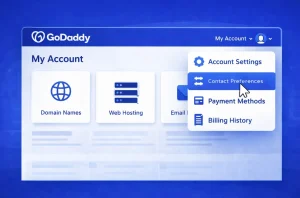
Step 3: Find the Privacy Section
Scroll down to the Privacy section, where you will see an option labelled Account. This is where the closure process begins.

Step 4: Read the Closure Message
Clicking on “Account” will display GoDaddy’s full account closure message. This includes all necessary warnings, such as the fact that the action is permanent and that deleted data cannot be recovered.
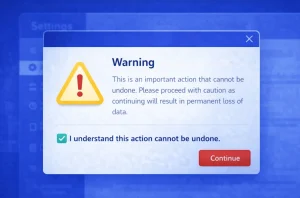
Step 5: Confirm and Submit
Tick the checkbox next to the statement “I understand this action cannot be undone”. Then, click on the Close Account button to complete the process.
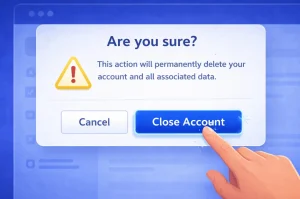
Step 6: Wait for Confirmation
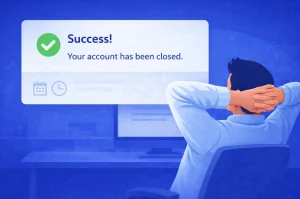
If all products have been deleted and the required time has passed, a success message will appear confirming that the account has been closed.
How Can Users Verify That Their GoDaddy Account Has Been Closed?
The simplest way to confirm closure is to attempt logging back into the account. If the account has been successfully deleted, the system will return an error message or state that the login details are no longer valid.
This serves as final proof that the account and all associated information have been removed from GoDaddy’s platform.
Does GoDaddy Retain Any Information After Account Closure?
Although GoDaddy deletes all customer-facing data upon closure, some limited information may be retained to comply with corporate and legal obligations. This may include records for financial transactions, regulatory compliance, and data retention required by law.
However, this retained data cannot be used to recover or reactivate a deleted account. It is stored purely for internal documentation and is not accessible to the user.
What Are the Common Reasons a GoDaddy Account Cannot Be Deleted?
Many users run into issues during the closure process. The most common causes of failure include:
- Not all products have been removed
- Auto-renewals are still active
- Less than 24 hours have passed since product deletion
- GoDaddy Payments has not been properly removed
These problems can be avoided by carefully following each step in this guide and allowing the required time between actions.
How Long Does the Entire GoDaddy Account Deletion Process Take?
From start to finish, the process can take a few days depending on how long it takes to cancel products. Here’s a general timeline:
| Stage | Time Required |
| Product cancellation | Depends on number of services |
| Waiting period | 24 hours minimum |
| Final closure and confirmation | Immediate if requirements are met |
Is Deleting a GoDaddy Account the Best Solution for Every User?
In some situations, account closure might not be necessary. Users who want to stop services but keep their profile for future use can simply cancel products, remove payment methods, and allow the account to remain dormant.
However, for those wishing to eliminate all traces of their presence from GoDaddy, full deletion is the only way to ensure complete removal of data and services.
FAQs About Deleting a GoDaddy Account
Can a GoDaddy account be restored after deletion?
No, once deleted, a GoDaddy account cannot be recovered under any circumstances.
Do all services have to be removed before deletion?
Yes, every product, including domains and hosting, must be cancelled before closing the account.
Is the 24-hour waiting period optional?
No, it is a required step to ensure GoDaddy recognises that the account is clear of services.
Can users request a refund after account deletion?
No, GoDaddy does not offer refunds once an account is closed, even if it falls within the refund policy.
What happens if I try to close the account before removing products?
GoDaddy will display an error and instruct you to remove remaining products first.
Can GoDaddy accounts be closed through the mobile app?
No, account closure must be completed through the web version via Account Settings.
Does GoDaddy delete all data after closure?
Yes, except for certain legal records retained under their corporate retention policy.
