



Kinsta positions itself as a premium managed WordPress hosting provider trusted by global brands and developers alike. Built on the Google Cloud Platform, Kinsta offers exceptional speed, enterprise-grade security, and reliable performance, with features tailored to businesses, agencies, and eCommerce sites that can’t afford downtime.
But does Kinsta live up to its price in 2026? This review explores Kinsta’s strengths, weaknesses, plans, features, and what real UK users have to say.
What Is Kinsta and What Services Does It Offer in the UK?

Kinsta is a fully managed hosting platform exclusively designed for WordPress websites. It hosts over 140,000 websites worldwide, with UK businesses benefiting from its London data centre for faster local performance and GDPR compliance.
In the UK, Kinsta offers:
- Managed WordPress Hosting
- WooCommerce Hosting
- Application Hosting
- Static Site Hosting
- Managed Database Hosting
- Dev tools (DevKinsta, APM, SSH)
- Agency Partner Programme
- Free migrations and staging environments
Kinsta’s hosting is powered by Google’s C2 machines and Cloudflare’s Enterprise-level CDN, helping UK users achieve lightning-fast page speeds and superior uptime.
What Are the Top Features of Kinsta?
Kinsta offers a premium managed WordPress hosting experience packed with cutting-edge tools and technology. While performance is at the heart of its platform, Kinsta also focuses on automation, security, developer experience, and ease of use.
Let’s explore Kinsta’s standout features and why they make it one of the most trusted WordPress hosts globally.
1. Kinsta Automatic Updates

Effortless Plugin and Theme Management with Visual Rollbacks
Keeping your WordPress plugins and themes up to date is critical for performance and security, but manual updates are tedious and risky. Kinsta’s Automatic Updates feature takes that burden off your plate while ensuring stability.
Before any update is applied, Kinsta automatically takes a backup and uses visual regression testing (VRT) to compare your site before and after the update. If something breaks or even shifts visually, Kinsta rolls back instantly, no action needed from your side.
Key Benefits:
- Automatic updates for plugins and themes
- Visual regression testing detects layout changes
- Instant rollback if something goes wrong
- Scheduled updates with custom time windows
- Targeted testing for up to 5 key pages
- CSS selectors to skip dynamic elements and prevent false positives
2. Cloudflare Integration

Enterprise-Level Security and Speed at No Extra Cost
Every Kinsta plan includes advanced Cloudflare integration, delivering enhanced performance, security, and scalability. Sites benefit from a secure firewall, DDoS protection, Edge Caching, HTTP/3 support, wildcard SSLs, and more, all without configuring third-party services.
Kinsta’s infrastructure leverages Cloudflare’s 300+ data centers worldwide, dramatically improving global delivery and ensuring better uptime and threat protection.
Key Benefits:
- Built-in enterprise-grade firewall and IP protection
- Free DDoS protection against traffic spikes
- HTTP/3 support for faster connections
- 300+ Cloudflare CDN POPs for global asset delivery
- Wildcard SSL certificates included
- Automatic edge caching for HTML and static assets
3. Kinsta API
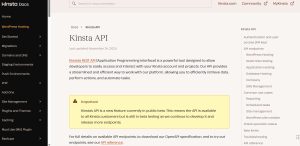
Automate WordPress Hosting Tasks with REST API Access
Kinsta’s REST API gives developers powerful control over hosting infrastructure. You can create sites, manage plugins, configure backups, deploy staging environments, update PHP settings, and more, all programmatically.
It’s especially useful for agencies and enterprises managing multiple sites at scale.
Key Benefits:
- Full control over WordPress site creation and management
- Manage backups, caching, staging, and more via API
- Automate recurring tasks or integrations with external systems
- Secure API keys with role-based permissions
- Comprehensive API documentation and community support
4. Expert 24/7 Support
World-Class Engineers on Demand – Any Time, Any Day
Kinsta sets itself apart with single-tier, expert-only support. Every support rep is a developer or engineer, offering real solutions, not canned responses. Available 24/7/365 in 10+ languages, you’ll never have to wait long for high-quality help.
Whether you’re migrating a site, troubleshooting a performance issue, or just need clarification, Kinsta’s support is consistently praised by users worldwide.
Key Benefits:
- 24/7 live chat with WordPress experts (not general support agents)
- <2-minute average first response time
- In-dashboard chat support with complete history
- 98% customer satisfaction rate
- Free unlimited migrations with full hands-on support
5. Free WordPress Migrations

Zero-Downtime, White-Glove Migration Services
Switching to Kinsta is stress-free thanks to their unlimited free WordPress migrations handled by an expert in-house team. There’s no downtime, and you can track the process from your dashboard.
Even if you’re moving multiple sites or complex WooCommerce stores, Kinsta’s team handles everything, ensuring a seamless transfer.
Key Benefits:
- Unlimited free migrations from any host
- Expedited 8-hour migration option available
- Zero downtime during transfers
- Malware cleanup included during migration
- Fully test your site on Kinsta before going live
6. Kinsta APM Tool

Built-In WordPress Performance Monitoring – For Free
Kinsta APM is an advanced yet user-friendly application performance monitoring tool designed for WordPress. It allows you to identify slow plugins, database queries, external calls, and more, all without needing third-party tools like New Relic.
You get real-time visibility into what’s slowing your site down, and the insights to fix it, directly from your MyKinsta dashboard.
Key Benefits:
- Identify plugin/theme performance bottlenecks
- Monitor database queries and PHP processes
- Included free with all plans
- Easy to use for both developers and non-developers
- Designed specifically for WordPress performance
7. DevKinsta

Free Local WordPress Development Suite
DevKinsta is Kinsta’s free, downloadable tool for local WordPress development. Ideal for agencies, freelancers, and developers, it allows you to spin up local WordPress sites, manage databases and email, test changes, and then deploy to Kinsta with a single click.
It’s powered by Docker for better performance and isolation than traditional solutions like XAMPP or Local by Flywheel.
Key Benefits:
- One-click WordPress site creation (including multisite)
- Built-in tools: SMTP server, DB manager, WP_DEBUG toggle
- Push/pull from Kinsta directly
- Isolated, container-based setup (Docker-powered)
- Available on macOS, Windows, and Ubuntu
8. Edge Caching

Deliver Web Pages 80% Faster Without Lifting a Finger
Edge Caching, built into all Kinsta plans, stores your site’s HTML pages in 300+ global locations, drastically improving load speeds for visitors worldwide. Unlike traditional CDNs that only cache static files, this caches full pages, reducing server load and latency.
Best of all? There’s no setup required, it’s automatic.
Key Benefits:
- Full-page caching at Cloudflare’s 300+ edge locations
- Reduces time to first byte (TTFB) by up to 48%
- Speeds up page delivery by over 50%
- Works automatically without plugins
- Early Hints support for even faster loads
9. Dedicated WordPress Hosting

Custom Hosting Environments for Mission-Critical Sites
If your site requires more power than standard shared cloud hosting, Kinsta offers Dedicated WordPress Hosting. Get guaranteed CPU, RAM, and resources on a virtual machine tailored to your site’s needs, perfect for enterprise WordPress, e-commerce, and LMS platforms.
Key Benefits:
- Custom VM setup with dedicated resources
- High performance for traffic spikes and large WooCommerce/LMS sites
- Custom PHP, memory, and cron configurations
- SOC 2 certified and GDPR-ready infrastructure
- Starts at $300/month as a hosting add-on
10. Premium Add-Ons

Upgrade Hosting with Redis, Reverse Proxy, Backups, and More
Kinsta offers several premium add-ons to customize your hosting setup:
- Redis for object caching (ideal for dynamic sites)
- Reverse Proxy for advanced routing
- Automatic External Backups to S3 or Google Cloud
- Hourly and 6-Hour Backups for high-change sites
- Additional Disk Space in 20GB increments
- Premium Staging Environments for testing
Key Benefits:
- Redis and Reverse Proxy for advanced performance
- More frequent backups for ecommerce and active sites
- Disaster recovery with external storage
- Easily scalable disk space
- Managed directly from the MyKinsta dashboard
Kinsta’s feature stack combines speed, automation, developer-friendly tools, and expert support in a way that few hosts can match. Whether you’re a solo entrepreneur, a developer, or managing enterprise WordPress infrastructure, Kinsta equips you with everything needed to succeed, backed by Google Cloud, Cloudflare, and a relentless focus on innovation.
What Are the Hosting Plans and Pricing?
Fast, secure, and scalable hosting built for WordPress. Whether you’re running a single blog, managing dozens of client sites, or building high-traffic eCommerce platforms, Kinsta offers flexible plans that grow with you.
Here’s a full breakdown of what you get, how much you pay, and why Kinsta is trusted by over 140,000+ businesses worldwide.
For Single Sites
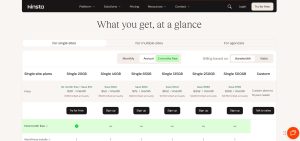
Perfect for individuals, entrepreneurs, bloggers, and small business owners. These plans offer everything you need to launch and scale a single high-performing WordPress site.
| Plan | Monthly Price | Billed Annually | Key Specs |
|---|---|---|---|
| Single 20GB | $30 (~£24) | $350/year (~£280) | 1 WordPress install, 10GB SSD storage, 20GB bandwidth, 125GB CDN |
| Single 40GB | $50 (~£40) | $500/year (~£400) | 1 site, higher bandwidth and CDN limits, ideal for growing traffic |
| Single 65GB | $90 (~£72) | $900/year (~£720) | Supports WooCommerce and membership sites with increased capacity |
| Single 125GB | $170 (~£136) | $1,700/year (~£1,360) | For advanced projects with heavy media or complex plugins |
| Single 250GB | $290 (~£232) | $2,900/year (~£2,320) | High-traffic, resource-hungry sites needing more storage and bandwidth |
| Single 500GB | $375 (~£300) | $3,750/year (~£3,000) | Enterprise-level single site hosting with enhanced resources |
- Free SSL certificates, automatic daily backups, malware removal, one-click staging, and Google Cloud infrastructure are included in all plans.
- First month free available on Single 20GB.
For Multiple Sites

Tailored for freelancers, marketers, growing businesses, and publishers managing several sites from one dashboard.
| Plan | Monthly Price | Billed Annually | Key Specs |
|---|---|---|---|
| WP 2 | $59 (~£47) | $700/year (~£560) | 2 WordPress installs, 20GB storage, 250GB CDN bandwidth |
| WP 5 | $96 (~£77) | $1,150/year (~£920) | 5 installs, 30GB storage — ideal for small client portfolios |
| WP 10 | $188 (~£150) | $2,250/year (~£1,800) | Efficient for mid-sized agencies or site networks |
| WP 20 | $284 (~£227) | $3,400/year (~£2,720) | Manage up to 20 sites effortlessly |
| WP 40 | $375 (~£300) | $4,500/year (~£3,600) | Scalable infrastructure for large teams or businesses |
| Enterprise | $563 (~£450) | $6,750/year (~£5,400) | 60+ sites, 100+GB storage, custom bandwidth and dedicated support |
- Every plan supports Multisite, edge caching, staging environments, unlimited free migrations, and team collaboration tools.
- Cloning, CDN, and advanced analytics included to optimize performance across all sites.
For Agencies

Built for WordPress agencies looking for performance, scalability, and white-label solutions for client success.
| Plan | Monthly | Annual | Key Benefits |
|---|---|---|---|
| Agency Starter | From $284/mo (~£227) | $3,400/year (~£2,720) | Supports 20+ installs, high storage, all Pro features included |
| Custom Agency | Tailored | Tailored | Account manager, white-labeled WP admin, agency directory listing |
Kinsta’s Agency Hosting Program includes:
- Free hosting during client migrations
- Free hosting for your agency website
- Unbranded WP Admin for client-facing sites
- Priority access to new features and betas
- $10,000 in hosting credits (eligibility-based)
Premium Add-Ons
Customize your hosting environment with powerful upgrades to meet advanced business and technical needs.
| Add-on | Price | GBP (Approx) | Description |
|---|---|---|---|
| Redis Caching | $100/mo | ~£80 | Speeds up database-heavy dynamic sites |
| Hourly Backups | $100/mo | ~£80 | Peace of mind with every-hour recovery points |
| 6-Hour Backups | $20/mo | ~£16 | Ideal for frequently updated content or eCommerce |
| External Backups | $2 + $1/GB | ~£1.60 + ~£0.80 | Auto-save to AWS or Google Cloud |
| Disk Space Add-on | $20/20GB | ~£16 | Scales with your media or data growth |
| PHP Performance Boost | $10/500MB | ~£8 | Fine-tune memory and thread handling for large sites |
| Premium Staging | $20/env | ~£16 | Create resource-rich staging sites for heavy testing |
| Reverse Proxy | $50/site | ~£40 | Load WP from a subdirectory with Kinsta’s support |
| Add Extra Site | $30/site | ~£24 | Expand your plan's capacity easily |
| Auto Updates (VRT) | $3/env | ~£2.40 | Automatic plugin/theme updates with rollback safety |
Enterprise & Dedicated Solutions
Designed for mission-critical, high-traffic WordPress applications. From WooCommerce stores with massive catalogs to government-grade security, Kinsta’s infrastructure delivers performance at scale.
| Plan | Starting Price | GBP (Approx) | Features |
|---|---|---|---|
| Dedicated Server | $300/mo | ~£240 | Exclusive resources, no noisy neighbors |
| Enterprise Hosting | $500+/mo | ~£400+ | Custom plans, SLAs, private cloud options |
No matter your size or scale, Kinsta offers the speed, support, and flexibility to power your WordPress projects with confidence, backed by performance that grows with you.
What Do Real Users Say About Kinsta Hosting?

Kinsta receives consistently positive feedback from users across industries for its speed, reliability, and expert support. Many report faster load times and smoother performance after migrating, particularly for high-traffic or resource-intensive sites.
“Kinsta is the best host I’ve had in 10 years. Smooth migration, no stress, and friendly support one click away.” — Melina Pettendorfer
“With Kinsta’s professional support, we sleep safely at night. And with the blazing fast servers, we serve our customers better than ever before!” — Mikkel Sciegienny, Proximo
Support is another standout. Kinsta’s team is known for quick response times and deep WordPress expertise. Migrations, technical issues, and optimisation are handled proactively.
“Their team took care of everything during migration and even identified problem plugins. It saved us hours.” — James Bradach
“We feel enormous relief knowing our website is secure and fast every day.” — Patrick Cohen, Red Factory
UK users highlight the benefit of the London data centre for performance, along with the intuitive MyKinsta dashboard. However, some note the pricing is higher than shared hosts and that email hosting isn’t included.
What Are the Pros and Cons of Using Kinsta?
Kinsta offers a premium managed WordPress hosting experience, delivering strong performance and advanced tools, but it also comes with a few limitations that users should consider.
Pros of Kinsta:
- High-speed, low-latency performance (especially in the UK)
- Intuitive MyKinsta dashboard for all users
- Free expert migrations
- Advanced developer tools
- Proactive security and compliance
Cons of Kinsta:
- Premium pricing, not suitable for tight budgets
- No email hosting included
- Bandwidth limits calculated by visits, not GB, which can confuse new users
Overall, Kinsta is best suited to businesses, agencies, and high-traffic WordPress sites that prioritise speed, security, and reliability over low-cost hosting.
Is Kinsta Secure and Compliant for UK-Based Businesses?
Security and compliance are essential for businesses handling user data, and Kinsta excels in this area. The platform is compliant with key international standards, including SOC 2 Type II, ISO 27001, GDPR, and CCPA.
UK users benefit from local data centre hosting, helping ensure compliance with UK-specific data protection laws. All sites are hosted in isolated containers, providing unique PHP, NGINX, and MySQL resources per site, significantly reducing the risk of cross-site contamination.
Security features include:
- Real-time DDoS protection
- Automated malware scans and free removal
- Encrypted SFTP and SSH access
- HTTP/2 and TLS 1.3 enabled
- Built-in two-factor authentication (2FA)
- Automatic rollback on failed updates
The focus on both proactive and reactive security solutions makes Kinsta a secure platform for high-value, business-critical websites.
How Does Kinsta Handle Customer Support and Technical Help?
Kinsta’s support model is a major selling point. Every user, regardless of plan size, gets access to 24/7 human-only expert support via live chat. Unlike traditional hosts, there are no bots or tiered queues, each query is answered by WordPress specialists.
The support staff can assist with everything from debugging plugin conflicts to resolving DNS issues. Additionally, users benefit from a comprehensive knowledge base, tutorials, and an active user community.
Customer satisfaction ratings consistently reflect high praise for both speed and resolution efficiency. Technical support is often cited as the reason users switch to, and stay with, Kinsta.
How Does Kinsta Compare to Other Hosting Providers in 2026?
Kinsta has built a strong reputation in the managed WordPress hosting space for its performance, developer-friendliness, and premium support. But how does it stack up against top competitors in terms of speed, features, pricing, and user experience? Here’s a side-by-side look at how Kinsta compares with other popular WordPress hosting providers in 2026.
Kinsta vs WP Engine
Both are premium managed WordPress hosts. WP Engine has a strong legacy and ecosystem, while Kinsta offers newer tech, like Edge Caching and a faster UI.
| Feature | Kinsta | WP Engine |
|---|---|---|
| Infrastructure | Google Cloud C2/C3D VMs, Cloudflare Edge CDN | Google Cloud + AWS (depending on plan) |
| Support | 24/7 expert support, dev-level help | 24/7 support, but tiered by plan |
| Performance Tools | Built-in APM, Edge Caching, DevKinsta | New Relic (only on higher tiers) |
| Pricing | From ~$30/month (£24) | From ~$20/month (£16), scales fast |
| Best For | Agencies, devs, ecommerce | Mid-size businesses, marketers |
Kinsta’s cutting-edge infrastructure and developer-first tools make it a top-tier choice over WP Engine for speed and scalability.
Kinsta vs SiteGround
SiteGround is a shared hosting provider with managed WordPress tools. Kinsta delivers a higher-tier experience with isolated containers and better scalability.
| Feature | Kinsta | SiteGround |
|---|---|---|
| Hosting Type | Container-based, premium managed WP | Shared + Cloud WordPress hosting |
| Performance | Fast, consistent, Google Cloud | Good for small sites, slower at scale |
| Support | Expert-only 24/7 live chat | Good live chat, less technical depth |
| Email Hosting | Not included | Included |
| Pricing | From ~$30/month (£24) | From ~$3.99/month (£3.20) |
| Best For | Growth-focused businesses | Beginners and personal websites |
While SiteGround is great for starters, Kinsta’s premium stack is better suited for scaling sites with performance-critical needs.
Kinsta vs Cloudways
Cloudways gives you freedom across multiple cloud providers. Kinsta simplifies everything by managing it for you.
| Feature | Kinsta | Cloudways |
|---|---|---|
| Management | Fully managed, hands-off | Semi-managed, more control needed |
| Cloud Options | Only Google Cloud (top-tier VMs) | Google Cloud, AWS, DigitalOcean, etc. |
| UI/UX | MyKinsta – clean and modern | Advanced but more complex |
| Pricing | From ~$30/month (£24) | From ~$11/month (£9) |
| Best For | Agencies, non-tech founders | Developers needing flexibility |
For those who prefer a hands-off experience with top performance, Kinsta clearly wins on simplicity and reliability.
Kinsta vs Flywheel
Both owned by the same parent (WP Engine), but Flywheel focuses on creative agencies with simplified tools.
| Feature | Kinsta | Flywheel |
|---|---|---|
| Dev Tools | DevKinsta, APM, SSH, Git, WP-CLI | Local by Flywheel, staging |
| Support | Expert-level, proactive | Great for design-focused users |
| UI/UX | Developer-focused | Designer-friendly |
| Pricing | From ~$30/month (£24) | From ~$13/month (£10.50) |
| Best For | Performance-driven teams | Creative freelancers/agencies |
Kinsta is built for serious developers and scaling teams, while Flywheel is better for creatives seeking simplicity.
Kinsta vs Bluehost
Bluehost is one of the most beginner-friendly and affordable options, but it doesn’t match Kinsta in performance or support.
| Feature | Kinsta | Bluehost |
|---|---|---|
| Hosting Type | Managed WordPress on Google Cloud | Shared, VPS, and basic WP hosting |
| Performance | Enterprise-level | Basic speeds, not optimized for scale |
| Pricing | From ~$30/month (£24) | From ~$2.95/month (£2.40) |
| Security | Advanced stack, daily backups, DDoS | SSL included, limited built-in tools |
| Best For | Growing businesses, dev teams | Beginners needing hosting + domain |
Bluehost is ideal for entry-level users, while Kinsta is designed for growing websites that require consistent high performance.
Kinsta vs Hostinger
Hostinger is one of the most affordable hosts globally, with solid performance for the price, but lacks advanced managed features.
| Feature | Kinsta | Hostinger |
|---|---|---|
| Speed | Lightning-fast Google Cloud VMs | Fast LiteSpeed servers |
| Features | APM, staging, edge cache, auto updates | Basic WP tools, free CDN |
| Support | Expert chat only | Chat-based support |
| Pricing | From ~$30/month (£24) | From ~$1.49/month (£1.20) |
| Best For | Developers, agencies, large sites | Budget sites, small blogs |
Kinsta delivers premium value for high-demand sites, while Hostinger remains a go-to for cost-effective entry-level hosting.
Who Is Kinsta Best For?
From what I’ve seen, Kinsta is perfect if you’re serious about performance, security, and support, especially for WordPress sites. It’s a go-to for agencies, high-traffic blogs, WooCommerce stores, and developers who want speed and scalability without managing servers themselves.
The tools are built for growth, with features like automatic backups, edge caching, and expert support that feels like an extension of your team. While it’s more premium in price, you’re paying for peace of mind and stability.
Kinsta Use-Case Overview:
| User Type / Need | Is Kinsta a Good Fit? | Why |
|---|---|---|
| Agencies & high-traffic sites | Yes | Fast, secure, scalable, great support |
| Developers & tech teams | Yes | API access, DevKinsta, CLI, staging |
| Budget or casual users | No | Premium pricing may not suit small sites |
So, if you’re looking for rock-solid WordPress hosting that grows with your site and doesn’t cut corners on performance or support, Kinsta is well worth the investment.
FAQs
Does Kinsta offer a free trial or money-back guarantee?
Kinsta offers a 30-day money-back guarantee across all standard plans. In addition, some plans include the first month free, making it easy to test without risk.
Can Kinsta handle WooCommerce or membership sites?
Yes, Kinsta is optimised for WooCommerce and high-resource sites. Features like edge caching, isolated containers, and Redis add-ons ensure smooth performance even with dynamic content.
Are migrations to Kinsta really free and easy?
Absolutely. Kinsta provides unlimited free migrations handled by their in-house team, with zero downtime and no technical input required from the user.
How is bandwidth usage calculated at Kinsta?
Bandwidth is measured based on the number of monthly visits, not total GB usage. A ‘visit’ is defined as a unique IP accessing the site within 24 hours.
What happens if you exceed plan limits?
Kinsta charges overage fees based on extra visits or storage, but you’ll receive advance notifications and scaling recommendations before reaching your limits.
Is Kinsta suitable for non-technical users?
Yes, the MyKinsta dashboard is user-friendly and requires no coding knowledge. Still, the platform includes advanced tools for developers when needed.
How secure is Kinsta for sensitive business data?
Extremely secure. With SOC 2 Type II, ISO 27001 compliance, automated backups, Cloudflare firewall, and malware detection, Kinsta meets enterprise-grade security needs.
