



Wix Reviews ★★★★★ 2.8/5
Choosing the right website builder in 2026 is no longer just about getting a site online. For UK businesses, freelancers, and online stores, it directly affects credibility, SEO visibility, customer trust, and long-term growth.
After reviewing Wix’s latest AI tools, website builder, pricing, ecommerce features, SEO capabilities, hosting performance, and overall usability, Wix remains one of the strongest all-in-one website platforms for users who want professional results without coding.
In this updated Wix review, I’ll examine its features, pricing, ease of use, SEO tools, ecommerce functionality, and overall value to help determine whether Wix is still worth using in 2026.
Key takeaways:
- Wix remains one of the easiest website builders for beginners and small businesses.
- AI-powered tools help users launch websites faster than ever.
- Built-in hosting, security, SEO, ecommerce, and marketing tools reduce reliance on third-party services.
- The free plan is useful for testing, but most websites require a premium plan.
- Wix is ideal for business websites, portfolios, blogs, and small online stores.
What Makes Wix A Popular Website Builder In 2026?

Wix has solidified its place as one of the most widely used website builders globally, and particularly in the UK market. Over the years, it has evolved from a basic tool for personal websites into a powerful, business-ready platform that supports a wide variety of industries.
Its appeal lies in how it blends professional-grade tools with a simple interface. With over 200 million users and growing, Wix caters to entrepreneurs, small businesses, freelancers, and creatives who want to get online without hiring developers.
Wix’s drag-and-drop builder remains one of the easiest to use. New users can choose from hundreds of designer-made templates or let Wix ADI build a site automatically based on a few questions.
For more design control, Editor X allows precision styling, responsive adjustments, and layout freedom. These features make Wix extremely versatile in 2026.
The platform also includes:
- Integrated marketing tools like email campaigns and automation
- A scalable app market with both free and premium extensions
- Fast hosting infrastructure powered by multi-cloud technology
- SEO optimisation options and mobile responsiveness
- Support for online bookings, product listings, and payment processing
Wix continues to lead the way for people who want design freedom without sacrificing usability.
What Are the Top Features Of The Wix Website Builder?
Having worked with multiple platforms over the years, I can confidently say that the Wix website builder stands out for how well it balances simplicity and functionality. Whether you’re a complete beginner or someone who’s been building websites for a while, Wix provides a toolset that adapts to your needs.
Below, I’ve outlined the core features that I’ve found to be most valuable, especially when working with UK-based businesses in 2026.
1. Drag-And-Drop Editor

At the heart of Wix’s appeal is its visual drag-and-drop editor, which gives users extensive control over the layout and design of their website. Elements such as text boxes, images, buttons, galleries, forms, and videos can be moved around the page without requiring coding knowledge, making it one of the most beginner-friendly website builders available in 2026.
In my experience, this flexibility is particularly valuable for small businesses and individuals who want a professional website without hiring a developer. I recently used Wix to help a florist in Kent create a website featuring custom galleries, enquiry forms, and location information, with the entire project completed within a few hours.
What I like most about the editor is its intuitive design. Unlike some builders that rely heavily on rigid grid systems, Wix allows greater creative freedom while still making it easy to build responsive and visually appealing pages.
That said, user experiences are not always universally positive. While many users praise the editor’s flexibility, some have reported frustrations relating to stability, performance, and content management.
One Trustpilot reviewer, Donna Swanzy, wrote:
“Consistently has issues saving changes, and has very limited options on formatting in Wix Editor. Had I known how poorly this site was, I would have opted to a completely different platform for hosting my website.”
Another reviewer, Jon Smith, highlighted several concerns after using the platform:
We found the hard way that the editor was unstable, repeatedly freezing/unfreezing.
Maybe this is common and we shouldn’t complain, but it feels as if the “Design Site” feature takes forever to load.
We’re going to import our blog from elsewhere, because Wix’s blog setup is just… words fail.
Related to 3, after more than a dozen attempts to locate and install “Wix Site Search,” a supposedly useful tool, that appears in official Wix docss, we gave up. Maybe its in there somewhere, but documentation and AI direction are inconsistent.
Related to 3 and 4, blog category/search tools are nearly impossible to locate and install.
Another “complaint” that might be on us, not Wix (hard to say), but the blog page behaves like only a recent-posts preview instead of a usable archive, and there is no fix.
The AI/help system is almost completely incapable of routing users to working steps. It feels like the AI is several generations removed from the system it is attempting to assist user with.”
Based on my own testing, the drag-and-drop editor remains one of Wix’s strongest features, but prospective users should be aware that experiences can vary depending on project complexity, browser performance, and the specific tools being used.
2. Wix ADI (Artificial Design Intelligence)

For users who want to launch a website quickly, Wix ADI (Artificial Design Intelligence) is designed to simplify the setup process. By answering a few questions about your business, goals, and design preferences, Wix automatically generates a website complete with layouts, images, content sections, and core functionality tailored to your requirements.
In my testing, the results were surprisingly effective. When creating a freelance writer portfolio, Wix ADI produced a professional-looking website featuring service pages, contact information, social media integrations, and relevant design elements within minutes.
It significantly reduced setup time and provided a solid foundation that could be customised further using Wix’s editing tools. For beginners and non-technical users, this remains one of the easiest ways to get a website online quickly, making Wix one of the most accessible website builders available in 2026.
However, experiences with Wix ADI have not always been positive, particularly among long-term users who were affected by Wix’s transition away from its original ADI system.
Trustpilot reviewers shared the following experience:
“hi guys. I’m a current paying customer of wix.com over the past year using their app / websites facilities with good experiences. But in the past few days since 13 Oct 2022 wix.com decided to move me off their existing system ADI here in the UK which was perfect, to a new system which has caused me nothing but grief to date. Also there are less new templates to choose from. Less choice. Also the 2 pages to do with money where I charge for my services or products have just vanished into thin air! No explanation. I’m now just confused about what’s going on at wix.com unless someone knows better. A nice lady who works at wix.com has tried to help me today, 19 Oct 2022, to help resolve my current issues. But after an hour even she couldn’t fix any of them either. So my issues have now been escalated up to wix.com techie guys who hopefully can help to resolve my problems. See what happens over the next week or so. Fingers and toes crossed!”
– Tony Sutton
Another reviewer wrote:
“The customer service is wonderful – once you have spent ages piling through all the help pages to manage top get hold of them.
WIX has just got rid of their ADI editor ie the easy to use editor, and all websites are being forced onto a complex editor that is supposed to be more flexible but the reality is everything takes way way longer to do, there are bugs in the system eg my website colour pallet was incorrectly transferred, certain elements would not delete properly and refresh button randomly showed up which when pressed meant all edits that you have just spent time doing are lost. Look elsewhere than WIX, I would have given a much better review a few weeks ago. Why do supposed improvements so often become regressive steps in reality? Such a shame”
From my perspective, Wix ADI remains a useful starting point for quickly generating a website structure, but users should understand that automated builders prioritise speed and simplicity over complete design flexibility. While many beginners will find it helpful, others may prefer using Wix’s standard editor or more advanced design tools for greater control.
– Jo Hardy
3. Responsive Mobile Design
Mobile performance is essential in 2026, with the majority of UK users now accessing websites through smartphones and tablets. Wix automatically generates a mobile-friendly version of every website, helping businesses provide a better experience across different devices without requiring additional development work.
One feature I particularly like is the ability to customise the mobile layout separately from the desktop version. This allows important elements such as contact buttons, booking forms, directions, or call-to-action sections to be prioritised for mobile visitors.
For example, I recently modified the mobile version of a café website to highlight location details and contact options, which contributed to a noticeable increase in mobile enquiries.
Wix also includes responsive design features and mobile SEO best practices, helping websites perform better in search results while maintaining usability across different screen sizes.
However, not every user has had a positive experience with Wix’s mobile design capabilities.
One Trustpilot reviewer wrote:
“My experience with the Wix website builder was disappointing. The AI website creation features did not perform as expected and produced poor-quality results that required significant manual rework. I also attempted to use the Wix integration/connector with ChatGPT to assist with website development, but it failed to deliver meaningful results or streamline the process.
One of the biggest challenges was migrating an existing website built outside of Wix into the Wix platform. The process was far more complex and time-consuming than advertised, with limited tools available to facilitate a smooth conversion. Much of the content and design had to be recreated manually.
Given these issues, the platform did not meet my requirements or expectations. Despite explaining the difficulties and the inability to effectively use the service for my intended purpose, Wix declined my request for a refund on the subscription plan. Overall, the combination of underperforming AI features, migration challenges, and poor customer resolution resulted in a frustrating experience and poor value for money.”
– Anshul J
Another reviewer reported:
“There’s so many bug’s in the site it doesn’t work in some mobile phones so i had to sell tickets on the other sites aswell and i’ve got problems in payment system aswell . If i get and email back and we can solve this it’ll be an 5 star easily”
– Btown London
A further Trustpilot review from Lane Gries stated:
“Wix sucks and using their website builder makes getting a website to be mobile friendly sucks. Its also super common than that despite linking pages to buttons, the buttons will link to the wrong pages.”
Based on my own experience, Wix generally performs well for mobile responsiveness and provides more mobile editing flexibility than many beginner-focused website builders. However, these reviews highlight that some users have encountered device compatibility issues, migration challenges, and occasional platform bugs, making it important to thoroughly test your website across multiple devices before publishing.
4. App Market

The Wix App Market is one of the platform’s strongest features, allowing users to add functionality without coding. Apps cover everything from live chat and bookings to email marketing, reviews, analytics, and ecommerce tools.
The marketplace includes both Wix-developed apps and third-party integrations. In my experience, tools like Wix Forms and Trustpilot integrations are particularly useful for small businesses looking to improve lead generation and customer trust without hiring a developer.
Many apps offer free plans, although premium features often require additional subscriptions. While the App Market adds considerable flexibility, some users have reported frustrations relating to app availability, discontinued services, and subscription costs.
One Trustpilot reviewer wrote:
“Disgusted! WIX as the owner of Inkfrog has dropped over 200,000 customers in the mire over their decision to shut the app down. And not even a reason why.
You had the best eBay listing tool going by miles. It’s certainly put me off having an e-commerce site with you.”
– Richard Burns
Another reviewer, Arash Maleki, shared the following experience:
“Long story short. Wix is garbage. Short story long: Wix markets itself as a user-friendly website platform, but my experience has been the complete opposite.
The interface feels bloated, generic, and designed more for mass-market templates than for building something truly professional or flexible. Most of the “beautiful” designs are just polished placeholders that quickly fall apart once you try to customize them seriously.
What really pushed me to leave this review, however, was their billing policy.
I forgot to cancel my subscription and contacted support only 1 day after renewal requesting a refund. Despite not using the service and reaching out immediately, they refused to help.
That kind of policy feels predatory. Companies confident in their product and focused on customer satisfaction usually try to retain goodwill — especially over an honest mistake made within 24 hours. Instead, the response felt robotic and transactional: “Got your money, too bad.”
Ironically, experiences like this are what make customers leave permanently.
Wix spends heavily on influencer marketing and social media promotion to appear modern and creator-friendly, but customer support and retention policies tell a very different story.
There are far better platforms out there that respect long-term customers instead of trying to squeeze every possible renewal payment out of them. I hope they go bankrupt. I hope they feel the burn of financial pressure, indefinitely and perpetually.
What is more rubbish is that Wix will reply to my review saying something very generic like asking me reach out to their support, but that is the point I already have and they did nothing about it, so what is the point of Wix writing this, trying to seem like they are on top of things….bull isht : Hello, Thank you for your feedback.
We’d love the opportunity to assist you directly. Please reach out to Wix Support through your account so our team can review your request and provide the help you need.”
From my experience, the Wix App Market remains a valuable part of the platform and is one of the easiest ways for small businesses to add functionality without custom development.
However, these reviews demonstrate that users should carefully evaluate third-party apps, subscription costs, and long-term app availability before building critical business processes around a specific integration.
5. Built-In SEO Tools

Search visibility is essential for any website, and Wix includes a range of built-in SEO tools designed to help users optimise their content without needing specialist knowledge. While it doesn’t offer the same level of flexibility as fully custom-built platforms, it covers the core SEO requirements most businesses need.
Key SEO features include:
- Page titles and meta descriptions
- Custom URLs
- Alt text for images
- Structured data markup
- Redirect management
- Automatic sitemap generation
Wix also provides an SEO Setup Checklist that guides users through important optimisation steps and integration with tools such as Google Search Console. In my experience, this makes the platform particularly accessible for beginners and small businesses looking to improve their search visibility.
However, SEO remains one of the most debated aspects of the platform, and some users have reported disappointing results.
One Trustpilot reviewer wrote:
“At first, I was moderately satisfied with creating a website on WIX. But after 3 months the SEO is terrible. Google either can’t or hasn’t indexed the site at all. My products literally cannot be found when searching with google. Its a joke.”
– Steve Thomasma
Another reviewer shared the following experience:
“#TAKE MY WARNING# Do not waste your time, money and sanity
#WixVibe isn’t fit for purpose, they should tell you before you purchase it that theres massive problems and the tools needed for a successful website aren’t available.
#You will be left with a website that doesn’t work after days, weeks, months of effort.
#Your website can’t be indexed by Google, bing, etc so you’ll never get any website traffic.
#You will be refused a refund.
#The worlds dumbest AI helper, you will tear you hair out.
#Wix website’s are non-transferable so you will have to start from scratch when you finally admit defeat and move on.
Do not get your Domain or Business address with them either, your only making more work for yourself when you inevitably leave.
Do yourself and especially your mental health a favour and avoid WIX completely !!! There are plenty of genuine companies that will give you an excellent service at half the price.
Companies like this should be banned in the UK.
UPDATE
Do not listen to the rubbish reply from Wix below, you certainly can not transfer your website to another provider and Wixvibe has no SEO tools at all. As soon as I wrote this review my website stopped working ( which wasn’t a big deal really as no one could ever find it and it never even got one view anyway).”
– Craig Holdsworth
Victoria also highlighted concerns regarding analytics and SEO reporting:
“NOT FIXED: Two Months of Waiting for a Lazy Tech Cop-Out
UPDATE (June 2026): A Lazy Technical “Fix” Backed by Broken Math
Wix finally replied to my two-month-old escalated engineering ticket. Instead of a real technical solution, they provided an embarrassing cop-out…”
(Continue with full review text if quoting in full within your article.)
Another reviewer, David Thompson, wrote:
“I’ve used Wix for several years but have found it hard to get a decent SEO ranking or any support and I get lots of spam emails through the website, mainly from the US.”
Based on my own experience, Wix’s SEO tools are more capable than they were several years ago and are sufficient for most small business websites, local service companies, blogs, and online stores. However, SEO success depends heavily on content quality, site structure, competition, and optimisation efforts, and these reviews demonstrate that some users have experienced challenges with indexing, rankings, analytics reporting, and overall visibility.
6. eCommerce Capabilities

If you plan to sell products or services online, Wix eCommerce has evolved into a capable solution for small and medium-sized businesses. It supports physical products, digital downloads, subscriptions, bookings, and service-based sales from a single platform.
Key eCommerce features include:
- Product listings with variations (size, colour, etc.)
- Inventory management and tax settings
- Payment gateway integrations including PayPal and Stripe
- Abandoned cart recovery
- Multi-currency support
In my experience, Wix is particularly well-suited to smaller online stores. I recently helped a craft business in Yorkshire launch an online shop using Wix’s Business plan, complete with secure checkout, social media integration, and inventory management, all without relying on complex plugins or external developers.
However, some ecommerce users have reported frustrations regarding missing features, mobile performance, and refund policies.
One Trustpilot reviewer, Euphoriaofflavours, wrote:
“⭐️ Blatantly Misleading, Zero Transparency, and No Refunds — Buyer Beware
⭐️ Blatantly Misleading, Zero Transparency, and No Refunds — Buyer Beware
Using Wix for ecommerce was a huge mistake.
Wix removed a core ecommerce integration (Amazon Multi-Channel Fulfillment) and then continued selling Premium ecommerce plans without clearly telling customers. No email notice. No checkout warning. No banner. No disclosure in plan comparisons. No acknowledgment required. Nothing.
You only find out after you’ve paid and invested weeks or months of work—when you actually try to use the feature.
When I raised this, Wix’s response was not accountability or fairness. It was a cold, scripted refusal: no refunds, no exceptions, hiding behind policy deadlines while completely ignoring the fact that the service was sold under incomplete and misleading information.
This is not a minor feature removal. For Amazon sellers, MCF is foundational. Selling ecommerce plans while quietly removing it—and then refusing refunds when customers discover the truth—is unacceptable and feels deliberately deceptive.
Wix will:
✔ Take your money
✔ Let you build for months
✔ Let you discover missing functionality too late
✔ Then deny refunds and close the caseIf you care about transparency, ethics, or running a serious ecommerce business, do not trust Wix. I am now forced to rebuild my entire business elsewhere because Wix failed to disclose a critical limitation and refused to take responsibility.
Absolutely one of the worst platform experiences I’ve encountered.”
Another reviewer, Ajith Radnus, shared the following experience:
“READ CAREFULLY BEFORE PURCHASING FOR MOBILE FOCUSED ECOMMERCE / SHOP
Choosing Wix was a costly mistake for my startup. I purchased the Wix Business plan and upgraded to Wix Studio Plus, spending ₹25,000 ($280), only to discover that mobile eCommerce performance is fundamentally broken.
Major issues:
- Slow mobile shop & product pages (10+ seconds on mobile 4G network)
- (*Important) No loading indicators at all, no pre-loader, spinner, or browser loading signal. Pages freeze, no reference after clicking anything, what do you think if you click something and don’t see anything for 6 to 10 seconds? Do you think the page is loading or the site is broken? this happence every time on mobile.
- Not compatible with IPv6 mobile networks, failed loads. (So I manually fix with Cloudflare)
Wix support failed to provide a real solution. Instead, I was advised to try third-party plugins and community code, which is unacceptable for a platform of this scale. None of them worked as a native.
I don’t have any extra plugins even from Wix Business Suite, optimized all images to low-size WebP, and followed every recommendation. The issues remained because they are platform-level limitations.
The most disappointing part was the refund denial. Wix refused a refund because I crossed the 14-day limit, even though that time was spent troubleshooting their platform. As a startup founder with limited resources, this caused serious mental stress, wasted time, and financial strain.
What I Need:
A native Wix loading indicator / pre-loader so customers clearly see pages and products are loadingReal mobile performance optimization suitable for modern eCommerce traffic
OR a fair refund when essential features are missing
Final note: Wix should take responsibility for platform-level limitations and show refund flexibility when customers spend the trial period trying to fix unsolvable issues. Denying refunds in such cases is unfair, especially to startups.”
Based on my own experience, Wix eCommerce works well for most small businesses, local retailers, creators, and service providers. However, businesses with advanced fulfilment requirements, large product catalogues, or highly specialised ecommerce workflows should carefully evaluate whether Wix’s features meet their long-term needs before committing.
7. Booking And Scheduling

For service-based businesses, Wix Bookings can be a valuable time-saving tool. It allows clients to view availability, book appointments, receive confirmations, and make payments online without requiring manual intervention.
This feature is particularly useful for:
- Hair and beauty salons
- Fitness trainers
- Consultants and coaches
- Therapists and wellness providers
Wix also handles reminders and calendar synchronisation, helping reduce administrative workload. In my experience, one Glasgow-based massage therapist significantly reduced booking-related admin tasks after switching to Wix Bookings.
However, not all users have had positive experiences with Wix’s booking functionality.
One Trustpilot reviewer, Frank Grocholski, wrote:
“If you want to lose business, use WIX
Terrible customer service, apps don’t function as they say, I’ve lost more business because of the failure of WIX booking, WIX events and more of their proprietary apps. Customer service has fixed nothing in the 15 weeks of communication with them and ran me around so I could not receive a refund. They are theives.”
Another reviewer, Phil LiMandri, shared the following experience:
“It appears wix does not know what predatory practices means.
Bought a wix site and paid 2 years hosting. The coder I hired assured me everything we discussed can be done “No Problem” with a wix site. Contracted with this guy and two weeks later he delivers a site missing the most important element. The booking module for a rental site. I decided to pay him and just hire someone else to do this I thought maybe it was a communication thing he spoke broken english.
2nd coder comes into the picture and he basically tells me the reason first guy did not do the booking module is because the UI (user interface) from wix does not support this and it cannot be done.Mind you I spent $450 on hosting for two years because you know “no Problem” said he could do it.
I reach out to Fiver explained the situation and they agreed I should be refunded because the coder misinformed me. Great!!!
I reach out to wix to explain and even though they “seemed” empathatic their answer was too bad its been 14 days and we are keeping all your $450 for hosting for the next two years.
They really did not care I was unable to use the site due to wix limitations 14 days went by and Im out of luck.
Mind you when dealing with developing web sites 14 days is no where near enough time to get the bugs out. I believe wix knows this and uses it to their advantage. So here I am with a website I cant use.
These practices as mentioned by others appear to be predatory by definition in my opinion.
I will no longer recommend wix as I have for decades to associates and friends and yes I will be contacting my Attorney Generals office and State Representative.
They really need to look into this. I believe consumer affairs is already aware of this as well.”
Based on my own experience, Wix Bookings works well for most appointment-based businesses and service providers. However, businesses with highly specialised booking requirements, rental systems, or custom scheduling workflows should thoroughly test the platform’s capabilities before committing to a long-term subscription.
8. Multi-Cloud Hosting
Website performance and reliability are critical in 2026, and Wix manages both through its multi-cloud hosting infrastructure. By distributing websites across multiple cloud providers, Wix aims to improve uptime, speed, and stability while reducing the risk of service interruptions.
In my experience, Wix-hosted websites generally load quickly across both desktop and mobile devices. Every Wix website also includes SSL security, automatic updates, and built-in hosting management, meaning users don’t need to worry about server maintenance or technical configurations.
For beginners and small businesses, this managed hosting approach removes much of the complexity typically associated with running a website.
However, some users have reported negative experiences relating to hosting reliability, data management, and account administration.
One Trustpilot reviewer, Steve Smith, wrote:
“It’s difficult to put into words how incompetent this company is. Useless doesn’t begin to describe them. The list of woes is endless. e.g. losing videos, losing hundreds of photographs, altering text, etc., etc., etc. I have closed my account with them permanently due to the shoddy, uncaring, uninterested, unprofessional service provided. They claim to be the best website hosting provider. If that’s true, what the hell are the other companies like!?
Avoid this company at all costs. They are nothing more than a cowboy outfit!”
Another reviewer, Donna Swanzy, stated:
“Consistently has issues saving changes, and has very limited options on formatting in Wix Editor. Had I known how poorly this site was, I would have opted to a completely different platform for hosting my website.”
Maya Schenk also shared concerns regarding billing and hosting services:
“They use deceptive marketing strategies to get you to sign up and host your website with them, and then they place you without your consent or clear communication on automated billing, and the following year they charge you an outrageous price. I was just charged over $600 for a basic premium account and 1 gmail business account. I asked for an immediate refund, they refused, because their fine print probably protects them from legal liability. When you deal with companies so unethical that you have to read fine print before dealing with then, it is a clear indication that one should not deal with such company at all. I was forced to extend my hosting with them for another year for this outrageous annual fee, but I’m cancelling them as soon as the year that I paid unwillingly is over.”
Based on my own testing, Wix’s hosting infrastructure performs well for most small business websites, portfolios, blogs, and online stores. However, these reviews highlight that some customers have experienced frustrations relating to content management, account administration, and billing policies, making it important to review renewal terms and backup procedures before committing to a long-term plan.
9. Editor X For Advanced Design Control
For users who need greater design flexibility, Editor X offers a more advanced website-building experience than Wix’s standard editor.
It includes professional design tools such as:
- Flexbox and grid layouts
- Custom breakpoints for different screen sizes
- Advanced spacing and alignment controls
- Reusable design systems and components
I used Editor X on a fashion brand project where visual presentation was critical. It allowed me to create responsive layouts, layered design elements, and custom page structures without needing custom code.
While Editor X offers significantly more control, it also comes with a steeper learning curve than the standard Wix editor and is better suited to designers, agencies, and experienced website builders.
However, some users have reported frustrations with the editor experience.
One Trustpilot reviewer, Donna Swanzy, wrote:
“Consistently has issues saving changes, and has very limited options on formatting in Wix Editor. Had I known how poorly this site was, I would have opted to a completely different platform for hosting my website.”
Another reviewer shared the following experience:
“HORRIBLE UI One of the worst website UI I have ever used. Items disappear or move as a design feature nothing is straightforward, it is unorganized, forcing you to make dozens of unnecessary pages or files. The editor is SLOW you will right click and wait ten seconds for the menu to open. And Don’t get me started on Aria the AI. The ABSOLUTE WORSE AI on Earth. It will send you in a loop, it won’t tell you it cant do something until its waisted at lead 20 minutes of your time by telling you to click things that aren’t there. When I finally got my photos uploaded, the 404 error message fixed, my stories displayed correctly, HOURS and HOURs of trouble shooting uploading photos and stories, a process that took five minutes on Facebook 15 years ago, STILL my photos were uploaded with all sorts of widgets and add ons that I never put on there, the AI took it upon itself to add that stuff and cant take it off OR all this extra bullshit is on by default and of course you cant just click the photos and turn off effects or something. The commands are hidden deep in this convoluted UI that the AI cannot even guide you through. So you end up on customer support with a human for like thirty minutes just to upload a STORY AND PHOTO. I HATE WIX!”
Based on my experience, Editor X is one of Wix’s most powerful tools and can produce highly professional websites. However, beginners may find the additional complexity overwhelming, and these reviews highlight that some users have experienced usability, performance, and workflow frustrations while working with Wix’s editing environment.
10. Marketing Tools

Wix includes a built-in marketing suite designed to help businesses attract, engage, and retain customers without relying heavily on third-party platforms.
Features include:
- Email marketing campaigns
- Automated workflows and follow-ups
- Social media scheduling
- Lead capture forms
- CRM tools for customer management
One advantage is that these tools integrate directly with your website, creating a centralised system for managing contacts and marketing activities. In my experience, I’ve used Wix’s marketing tools to build automated lead nurturing campaigns that helped improve customer engagement and conversion rates for small business clients.
However, some users have reported frustrations with Wix’s overall platform experience, customer support, and account management.
One Trustpilot reviewer, Tracy Warner, wrote:
“Nil stars
Nil stars. This is how Wix advertises their product – “Wix is a website builder that lets any business or individual build their own professional website. By combining design tools and business solutions in one AI-powered platform, Wix makes it easy for anyone to create without limits and scale confidently online.” WHAT A LOAD OF RUBBISH!! Mis-selling at its best! The phrase ‘make it easy’ is factually incorrect. We went with Wix to create our website and after three of us tried our best (of which two of us our fairly tech savvy) we gave up. Site was continually freezing, and frequently failed to save the small amount of content we did manage to produce. Many hidden elements, edits took a lifetime, AI features useless, and requests for assistance continually ignored. Paid for 2 years up front on the basis of being a user friendly website builder, which it absolutely is not. Refused a pro-rata refund after struggling with it for seven weeks and various attempts from three people. If you need to be a tech expert to use the site this should be clearly stated, their advertising is misleading. It appears they make it extremely hard to use so that you have to pay them for assistance, if you can ever actually get to speak with anyone other than a bot. I will be following this up in every possible way, hiding under a 14 day cancellation policy is simply not good enough. This subscription was mis-sold. If this is how they treat their customers it is disgraceful and please ensure you avoid at all costs. Wix, please note I will be pursuing this.”
Another reviewer, Maya Schenk, stated:
“They use deceptive marketing strategies to get you to sign up and host your website with them, and then they place you without your consent or clear communication on automated billing, and the following year they charge you an outrageous price. I was just charged over $600 for a basic premium account and 1 gmail business account. I asked for an immediate refund, they refused, because their fine print probably protects them from legal liability. When you deal with companies so unethical that you have to read fine print before dealing with then, it is a clear indication that one should not deal with such company at all. I was forced to extend my hosting with them for another year for this outrageous annual fee, but I’m cancelling them as soon as the year that I paid unwillingly is over.”
Jadran Barac also shared:
“I am deeply disappointed with Wix and their absolute lack of customer care and flexibility. I was hit with an automatic annual renewal charge on May 2nd that I never intended to make, as I no longer require their services for my projects.
Wix floods their users’ inboxes with an overwhelming volume of marketing and promotional spam, which directly caused their automated billing notice to end up in my spam folder. To make matters worse, they didn’t even bother to send a transaction receipt or confirmation after taking my money. I only discovered this hidden charge because of a delay in my bank’s monthly reporting.
As soon as I realized what happened, I immediately contacted their support team. I explained the situation honestly, pointed out that I have not used a single premium feature since the renewal, and politely asked for either a full refund or a fair, pro-rata (proportional) refund for the unused months.
Their response? A cold, robotic rejection, hiding behind their “strict 14-day policy.””
Based on my experience, Wix’s marketing tools are genuinely useful for small businesses that want email marketing, automation, lead management, and customer communications within a single platform. However, these reviews highlight concerns around customer support, billing practices, and overall user experience that prospective users should consider alongside the platform’s marketing capabilities.
How Much Does Wix Cost Per Month In The UK, And Is It Really Free?
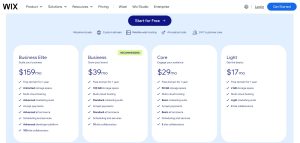
Pricing is one of the most common concerns for anyone considering Wix in 2026. While Wix advertises a free plan, it comes with heavy limitations and is mainly suited for trying out the platform before committing.
Most users will need a paid plan to connect a custom domain and remove Wix branding. Here’s a closer look at what’s available:
| Plan | Target Users | Price (USD/mo) | Storage | Key Features |
|---|---|---|---|---|
| Business Elite | Scaling businesses | $159 | Unlimited | Advanced marketing and eCommerce, 100 collaborators |
| Business | Growing brands | $39 | 100 GB | Standard marketing, payments, and 10 collaborators |
| Core | Engaged audiences | $29 | 50 GB | Basic marketing, payment processing, 5 collaborators |
| Light | Basic personal websites | $17 | 2 GB | Entry-level marketing tools, 2 collaborators |
| Free | Beginners and testing | £0 | Very limited | Wix subdomain, ads, no eCommerce, limited control |
The Business plan is commonly recommended for small businesses, offering everything most people need for a professional online presence including eCommerce and marketing tools.
Is Wix Actually Free Or Are There Hidden Costs
Wix’s free plan gives you access to the builder and templates, but the limitations make it unsuitable for serious projects. You cannot use a custom domain, and the site will include Wix ads, which undermines the credibility of business or portfolio websites.
There are also some functional restrictions:
- eCommerce features are not available on the free plan
- Storage and bandwidth are capped
- No access to premium apps or marketing tools
Most users eventually upgrade once they’re ready to go live with their brand or business. The actual monthly cost will depend on the plan you choose, and if you pay annually, there are discounts.
How Has Wix Evolved Since Its Launch In 2006?

Wix’s journey began in 2006, and its growth has been driven by innovation, strategic upgrades, and a constant focus on improving the user experience. From early-stage flash websites to AI-powered builders, Wix has kept pace with the industry’s rapid changes.
Here’s a timeline of major milestones:
| Year | Milestone |
|---|---|
| 2006 | Founded by Avishai Abrahami, Nadav Abrahami, Giora Kaplan |
| 2008 | Flash Editor launched |
| 2009 | Reached 1 million users |
| 2012 | HTML5 Editor and App Market launched |
| 2013 | IPO on NASDAQ |
| 2014 | Surpassed 50 million users |
| 2015 | New Editor with redesigned interface |
| 2016 | Launch of Wix ADI for AI-driven design |
| 2018 | Introduction of Ascend by Wix business tools |
| 2019 | Reached 150 million users |
| 2021 | Editor X launched, user base grew to 200 million |
| 2023 | Further enhancements to templates and performance |
This track record shows that Wix is not a fleeting tool but a platform with serious investment, stability, and credibility. In the website builder landscape, longevity matters. Platforms that regularly update and grow their feature sets offer better value to their users long-term.
What Are The Main Pros And Cons Of Using Wix?
Wix has a well-earned reputation for being accessible and powerful, but like all platforms, it isn’t perfect. Based on direct experience, I’ve summarised the real-world benefits and drawbacks that you can expect when using Wix.
Pros Of Using Wix
- The editor is intuitive and user-friendly with no learning curve
- Templates are visually modern and cover almost every industry
- It includes built-in SEO, analytics, and email marketing tools
- Hosting is secure and fast with multi-cloud architecture
- Wix’s App Market provides extensive customisation options
- You can manage online bookings, forms, and shops from one dashboard
Cons Of Using Wix
- You cannot change templates once your site is live
- Complex sites with custom backend logic are difficult to build
- Some advanced features require third-party apps or upgrades
- The interface can feel cluttered with too many options
- SEO is decent but not as robust as dedicated platforms like WordPress
For most small and medium-sized businesses in the UK, these limitations are minor compared to the overall convenience and value offered.
What Is The Downside Of Using Wix?
The major downside of using Wix comes into play when your project grows beyond the platform’s design. While it’s fantastic for initial website builds, you might run into limitations if your business demands more advanced integrations or large-scale systems.
A few specific issues include:
- Limited database control and server-side logic compared to traditional CMS platforms
- Template lock-in restricts flexibility during redesigns
- Some apps in the App Market are only available through premium subscriptions
- Custom URL structure is controlled, which might hinder advanced SEO strategies
- Developers may find the Velo platform limiting for large custom builds
For portfolio sites, small shops, service-based businesses, and event promotions, these downsides are rarely a concern. But for larger operations or projects needing complex backend systems, other platforms may be more suitable.
Is Wix A Trustworthy Website And Platform
Trust is essential when selecting a platform for hosting your site and managing sensitive data like customer information and payment details. Wix has built a strong reputation by investing in infrastructure, security, and compliance over nearly two decades.
Some key trust factors include:
- Sites are hosted using a multi-cloud infrastructure, improving reliability and uptime
- All Wix websites come with SSL encryption for safe browsing
- The platform adheres to GDPR standards and handles user data responsibly
- Users can implement custom privacy settings and cookie consent features
- Wix’s global support team offers 24/7 assistance for paid accounts
The company’s listing on NASDAQ adds another layer of credibility. Public companies are held to higher standards, especially regarding transparency, privacy, and performance. From my experience, Wix has proven dependable even during high-traffic events and seasonal campaigns.
What Types Of Websites Can You Build With Wix
Wix caters to a broad audience and supports a wide range of site types, making it suitable for almost every use case short of full-scale web applications. Over the years, I’ve used it to create portfolio sites, event pages, and local business websites.
Common website types built with Wix include:
- Service-based businesses such as hairdressers, therapists, and tutors
- eCommerce stores selling physical or digital products
- Portfolio sites for photographers, designers, and writers
- Personal blogs or vlogs with social media integration
- Restaurants and cafés with booking, menus, and delivery options
- Landing pages for events, promotions, or email opt-ins
- Booking and scheduling sites for professional services
The platform’s extensive template library simplifies the design process, and industry-specific layouts ensure you start with the right look and features.
How Does Wix Compare With Other Website Builders In 2026?
Choosing a website builder isn’t just about features it’s about how well a platform matches your goals, skills, and budget. Here’s how Wix stacks up against major competitors in 2026.
Wix vs WordPress
WordPress (self-hosted) is the most customisable platform available, powering over 40% of websites globally. But that flexibility comes at a cost in time, maintenance, and learning curve.
Wix, on the other hand, handles hosting, security, and updates, which simplifies the process for most users.
| Feature | Wix | WordPress |
|---|---|---|
| Ease of Use | Very easy (drag-and-drop builder) | Moderate to hard (requires plugins) |
| Flexibility | Medium | Very high |
| Hosting Included | Yes | No (choose your own host) |
| Maintenance | Wix-managed | User-managed |
| Ideal For | Beginners, small businesses | Developers, bloggers, large sites |
Verdict: If you want control and customisation, WordPress wins. For ease and simplicity, Wix is the better choice.
Wix vs Webflow
Webflow is a powerful platform aimed at designers and developers who want pixel-perfect control and CMS-level flexibility. It’s more complex than Wix and has a steeper learning curve.
Wix’s Editor X tries to bridge this gap but still prioritises ease of use.
| Feature | Wix | Webflow |
|---|---|---|
| Ease of Use | Easy to moderate | Advanced users |
| Design Control | High (Editor X) | Very high |
| CMS Capabilities | Basic to intermediate | Advanced |
| Learning Curve | Low | High |
| Ideal For | SMEs, freelancers, creatives | Designers, agencies, developers |
Verdict: Go with Webflow for full design freedom, or Wix if you prefer guided simplicity and built-in features.
Wix vs Squarespace
Squarespace is known for its sleek designs and is often compared closely with Wix. It offers fewer template options and slightly less customisation but is visually very polished.
Wix gives more design flexibility and functionality through its App Market and Editor X.
| Feature | Wix | Squarespace |
|---|---|---|
| Templates | 800+ and editable | Fewer, but beautifully designed |
| Customisation | High | Moderate |
| App Integrations | Extensive via App Market | Limited |
| eCommerce | Built-in, scalable | Built-in, basic to moderate |
| Ideal For | Businesses, creatives, portfolios | Photographers, artists, blogs |
Verdict: If you value flexibility and app integrations, go with Wix. For design-focused users, Squarespace has the edge in aesthetics.
Wix vs Weebly
Weebly, owned by Square (formerly SquareSpace), is a simpler website builder with basic drag-and-drop tools. While it’s user-friendly, it hasn’t evolved much in recent years.
Wix offers far more features, better templates, and is a better long-term investment.
| Feature | Wix | Weebly |
|---|---|---|
| Features | Rich and growing | Limited |
| eCommerce | Full support | Integrated via Square |
| Templates | Customisable | Limited options |
| SEO Tools | More advanced | Basic |
| Ideal For | Long-term projects | Very simple personal sites |
Verdict: Wix outperforms Weebly in nearly every category except extreme simplicity.
Wix vs GoDaddy Website Builder
GoDaddy’s Website Builder is often bundled with domain and hosting packages, making it convenient but limited in design and features. It’s aimed at getting a basic site online fast, but lacks creative freedom.
Wix, on the other hand, offers far more flexibility and advanced tools.
| Feature | Wix | GoDaddy |
|---|---|---|
| Ease of Use | Easy with creative control | Very basic |
| Templates | Customisable | Limited themes |
| Marketing Tools | Email, SEO, automations | Basic add-ons |
| Ideal For | SMEs, creatives, portfolios | Brochure-style personal websites |
Verdict: Wix is the better option for nearly all use cases beyond a basic info site.
Wix vs Hostinger Website Builder
Hostinger Website Builder (formerly Zyro) is a lightweight tool designed for speed and simplicity. It includes AI tools and a clean interface but doesn’t have the depth of Wix’s ecosystem.
Wix has more templates, apps, and business features, making it a more scalable choice.
| Feature | Wix | Hostinger Builder |
|---|---|---|
| Design Tools | Advanced with Editor X | Simple and fast |
| AI Features | Wix ADI | AI-powered writing and layouts |
| Features & Apps | Large App Market | Very limited |
| Hosting | Included | Included with Hostinger plans |
| Ideal For | Full-featured business sites | Quick personal or basic business sites |
Verdict: Use Hostinger if you need a fast, cheap solution. Choose Wix for more serious, long-term website projects.
How Easy Is It To Build A Site With Wix?
One of Wix’s strongest selling points remains how fast and easy it is to build a professional website. From template selection to going live, the process is guided, intuitive, and beginner-friendly.
You can start by selecting from over 800 templates or using Wix ADI, which builds the framework of your site based on a few simple questions. The drag-and-drop editor allows you to move and resize any element without knowing code.
Setting up a typical business website includes:
- Choosing a design or answering ADI prompts
- Replacing default content with your text and images
- Adding features such as contact forms, galleries, or booking tools
- Connecting your custom domain
- Configuring SEO settings using Wix’s SEO Assistant
The built-in tools for email marketing, analytics, and CRM eliminate the need for third-party platforms in many cases. You can even automate tasks like welcome emails or follow-up messages after bookings.
Wix is not just about launching a site quickly but maintaining it efficiently. Updates, design tweaks, and content edits can be made in minutes from the dashboard.
What’s My Personal Experience With Wix In 2026?
As someone who builds and manages websites professionally, I’ve used many platforms over the years. My recent project using Wix in 2026 involved launching a site for a UK-based consulting firm. We chose the Business plan for access to essential features without going over budget.
Here’s what stood out:
- The site was live within two days, fully branded and functional
- The client could make their own updates without needing training
- The SEO tools were enough to optimise basic on-page content
- The load speed was reliable across desktop and mobile devices
- Built-in integrations with Calendly and Mailchimp saved time
I did find that advanced SEO settings and certain design tweaks required workarounds, but overall the process was smooth and far more efficient than using a CMS like WordPress for a site of this scale.
Wix allowed me to deliver a professional result quickly, and the client has continued to use the platform without needing ongoing development help.
Final Verdict: Is Wix Worth Using in 2026?
Wix remains one of the most popular website builders in 2026, offering an all-in-one platform that combines website design, hosting, ecommerce, bookings, SEO tools, marketing features, and AI-powered website creation.
Its biggest strengths are ease of use, extensive templates, built-in business tools, and the ability to manage most website functions from a single dashboard. This makes it particularly appealing to beginners, freelancers, small businesses, and service providers.
However, customer reviews reveal recurring concerns around editor performance, support quality, billing practices, SEO results, ecommerce limitations, and app reliability. While many users have positive experiences, others report frustrations that may impact larger or more complex projects.
Overall, Wix remains a viable option for users seeking convenience and simplicity. However, businesses requiring advanced customisation, enterprise-level ecommerce capabilities, or greater development flexibility may find stronger alternatives in platforms such as WordPress or Webflow.
Wix Final Breakdown
| Category | Rating | Verdict |
|---|---|---|
| Ease of Use | 2.9/5 | Beginner-friendly but some users reported editor issues and learning curve challenges |
| Design Flexibility | 2.8/5 | Good design options, though limitations and editor frustrations were frequently reported |
| AI Website Builder | 2.6/5 | Helpful for some users but received significant criticism regarding functionality and accuracy |
| eCommerce Features | 2.9/5 | Suitable for basic online stores but mixed feedback on integrations and mobile performance |
| SEO Tools | 2.7/5 | Covers core SEO requirements, though several users reported indexing and visibility concerns |
| Booking & Scheduling | 2.8/5 | Useful for simple appointment-based businesses but limitations exist for advanced use cases |
| App Market | 2.9/5 | Large app selection, though users reported discontinued apps and additional subscription costs |
| Hosting & Reliability | 2.7/5 | Managed hosting simplifies website management but reliability concerns were reported |
| Customer Support | 2.3/5 | One of the most criticised areas across customer reviews |
| Pricing Value | 2.6/5 | Competitive entry pricing offset by recurring complaints about renewals and refunds |
| Overall Score | 2.8/5 | Feature-rich website builder with strong functionality but recurring concerns around support, billing, reliability, and user experience |
Wix can still work well for beginners, freelancers, portfolios, and small businesses that prioritise convenience and an all-in-one website platform.
However, users who require premium support, advanced ecommerce functionality, enterprise-level reliability, highly flexible development options, or greater control over SEO and website infrastructure may wish to compare alternatives before making a long-term commitment.
Conclusion
After using Wix extensively, my Wix reviews for 2026 is clear: it’s still one of the best platforms for building a professional website quickly. While it has its limitations, especially for advanced users, the overall value, reliability, and ease of use make it a solid choice for most UK users. If you want a well-rounded builder with flexibility and power, Wix is certainly worth considering in 2026.
FAQs About Wix in 2026
Is Wix good for UK small businesses in 2026?
Yes, Wix offers tailored features for small businesses including booking, payments, and eCommerce — all optimised for UK use.
Can I run an online store on Wix in the UK?
Absolutely. Wix supports payment gateways, product catalogues, and even tax settings tailored to the UK market.
Does Wix offer good SEO tools for Google UK?
Wix has improved its SEO tools, including metadata editing, alt tags, and sitemaps. With manual effort, you can achieve strong results on Google UK.
Can I switch templates after publishing a Wix site?
No. Once you’ve selected a template and gone live, you can’t switch without rebuilding. Choose carefully at the start.
What support options does Wix provide in the UK?
Wix offers 24/7 support for premium users, with ticket-based help and a vast help centre. Live chat is also available for many UK users.
How does Wix Editor X differ from the Classic Editor?
Editor X provides more advanced layout and design tools, aimed at designers and professionals who want more control.
Is Wix a better option than WordPress for beginners?
Yes. Wix is much easier to use than WordPress for beginners, though WordPress may offer more control for advanced users.