



If you’re asking me which is better, WordPress or Squarespace, my honest answer is WordPress, especially if you want complete control, flexibility, and the ability to scale as your website grows. Squarespace is still a solid choice for those who want a quick, elegant solution with minimal setup.
Based on my experience with both platforms, here are the key points you’ll learn in this comparison:
- WordPress offers better flexibility, SEO tools, and customisation options
- Squarespace is easier to use and quicker to launch
- WordPress scales better for blogging and eCommerce
- Squarespace has beautifully designed templates but limited extensibility
- WordPress is more suitable for team collaboration and future growth
- Squarespace is ideal for creatives and small businesses who want simplicity
Let’s dive into the detailed comparison.
Which Is Better – WordPress or Squarespace?
Having worked with both WordPress and Squarespace for various client projects and my own ventures, I’ve come to appreciate that they are fundamentally different tools designed for different types of users.
WordPress is an open-source content management system that offers full control over every aspect of a website. It is highly customisable and suitable for both developers and businesses with long-term growth in mind.
Squarespace is a hosted website builder that bundles everything under one roof. It’s a platform built for simplicity, speed and design elegance.
It doesn’t require separate hosting, nor does it involve the same learning curve that WordPress often brings. It’s a more constrained environment, but for many users, that’s exactly what makes it appealing.
🏆 WordPress wins for long-term flexibility, while Squarespace excels in simplicity and ease of setup
I always choose WordPress when I need more control, especially for projects that will grow over time. But I recommend Squarespace to beginners who just want something clean and easy to manage.
How Do WordPress and Squarespace Compare on Pricing?

Pricing is one of the most noticeable differences between WordPress and Squarespace, not just in how much you pay, but in how you pay and what you get in return. I’ve worked with both platforms across various client projects, and understanding the true cost always comes down to your site goals.
WordPress Pricing (Billed Annually)

WordPress.com offers multiple plans depending on your needs. The pricing structure is tiered, starting from basic blogging to advanced eCommerce and development functionality.
| Plan | Price (Per Month) | Storage | Key Features |
|---|---|---|---|
| Personal | £3 (was £8) | 6 GB | Free domain, ad-free experience, stats, dozens of themes, expert support |
| Premium | £7 (was £17) | 13 GB | Plugin support, premium themes, advanced stats, video uploads, Google Analytics, full design control |
| Business | £20 (was £32) | 50 GB | WooCommerce ready, full plugin access, SFTP, SSH, GitHub deploy, priority support |
| Commerce | £36 (was £55) | 50 GB | Advanced WooCommerce tools, full theme access, eCommerce-focused features |
This pricing is incredibly flexible. I’ve often used the Premium or Business plans as they offer the most value with plugin access and serious customisation options.
Squarespace Pricing (Billed Annually)

Squarespace uses a flat pricing model that bundles everything, hosting, templates, support, and more, into four main plans.
| Plan | Price (Per Month) | Contributors | Key Features |
|---|---|---|---|
| Basic | £12 | Up to 2 | Templates, Squarespace AI, 2% transaction fee, sell physical/digital products |
| Core | £17 | Unlimited | 0% physical transaction fee, 5% digital content fee, Google Workspace, API access |
| Plus | £29 | Unlimited | Lower fees: 1% digital content, 0% store fees, professional tools, shipping/tax automation |
| Advanced | £79 | Unlimited | 0% transaction fees, AI + automation, sales analytics, advanced eCommerce features |
Squarespace plans scale smoothly with business needs, but can get expensive for high-volume sellers. For personal websites, I find the Basic or Core plans adequate.
WordPress vs Squarespace Pricing Summary
| Feature | WordPress | Squarespace |
|---|---|---|
| Starting Price | £3/month | £12/month |
| Free Domain | Yes (1 year) | Yes (1 year) |
| Plugin Access | From Premium plan | Not available |
| eCommerce Support | WooCommerce (plugins) | Built-in tools |
| Custom Code Support | Full (CSS, JS, PHP, Git, etc.) | Limited (from Core plan) |
| Transaction Fees | Depends on gateway | 0% to 7% depending on plan |
| Scalability | High | Medium |
| Control Over Features | Full (with plugins) | Platform-limited |
🏆 It’s a tie – both offer excellent value depending on use case
From my experience, WordPress wins on long-term value because higher plans remove limitations and unlock real flexibility. Squarespace wins on simplicity and predictability, especially for users who want everything bundled with no technical decisions to make.
Is WordPress or Squarespace Easier to Use?
I’ve worked with beginners on both platforms, and there’s no question that Squarespace is easier for non-technical users. It’s designed for people who want to create a website without touching a line of code. You select a template, drag and drop your content, and you’re online.
Everything from page layout to image galleries can be handled within a single dashboard. I’ve had clients launch entire websites within a day of signing up for Squarespace, without any design or technical background.
WordPress has become more user-friendly over the years, especially with the block editor (Gutenberg) and third-party page builders like Elementor or Divi. But it still requires more effort to set up. You need to find hosting, install the software, manage updates, and handle your own security. That process can be intimidating for first-time users.
Once you become comfortable with WordPress, it’s much more powerful, but it takes time and effort to get to that stage.
🏆 Squarespace wins for ease of use and beginner accessibility
Squarespace wins here in my experience. I’ve helped many first-time users set up a site in under a day with almost no questions asked it just works out of the box.
Which Platform Offers Better Design and Customisation Options?
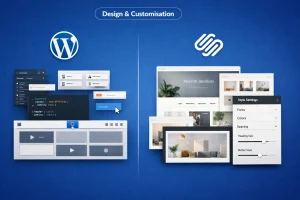
Squarespace shines when it comes to professionally designed templates. The templates are visually stunning, responsive, and ideal for creatives such as photographers, artists, and small businesses. The platform includes a simple style editor that allows you to tweak fonts, colours and spacing.
However, there are limitations. Once you choose a template, switching to another often means starting from scratch. There’s also limited ability to alter the underlying code unless you’re on a higher-tier plan.
WordPress, on the other hand, offers practically unlimited design flexibility. You can choose from thousands of free and premium themes or build your own from scratch. I regularly use page builders to drag and drop design elements into place, and when necessary, I add my own CSS or modify theme files directly.
If a client wants a unique website with specific design requirements, WordPress is always my recommendation.
| Feature | WordPress | Squarespace |
|---|---|---|
| Themes Available | 10,000+ | 110+ |
| Custom Code Access | Full (CSS, JS, PHP) | Limited |
| Drag-and-Drop Builder | Via plugins | Built-in |
| Mobile Responsiveness | Yes | Yes |
| Template Switching | Seamless | Requires redesign |
🏆 WordPress wins for design flexibility and advanced customisation
WordPress is the clear winner for me. When I want to completely customise a layout, tweak styles, or add unique functionality, WordPress gives me full freedom to do that.
Which Platform Is Better for SEO – WordPress or Squarespace?
In my SEO work, WordPress consistently outperforms Squarespace. The reason is simple: WordPress offers a far greater level of control. Using plugins like Yoast SEO or Rank Math, I can configure every on-page element, add schema markup, manage redirects, create XML sitemaps, and even analyse content quality.
You can also easily integrate Google Analytics, Google Search Console, and any third-party tracking or reporting tools.
Squarespace includes solid SEO fundamentals. You can set meta titles and descriptions, customise URL slugs, and your site comes with SSL and responsive templates by default. For local businesses and smaller websites, that may be all you need.
The issue is the lack of scalability. There’s no real plugin ecosystem to expand on what Squarespace gives you. You can’t easily add structured data or manage complex redirects the same way you can in WordPress.
🏆 WordPress wins for advanced and scalable SEO performance
WordPress always wins for SEO in my work. With plugins like Rank Math and Yoast, I can fine tune every detail from sitemaps to schema which just isn’t possible with Squarespace.
Is WordPress or Squarespace Better for Blogging?
I’ve built content-heavy websites on both platforms, and I can confidently say that WordPress was built for blogging. You get access to categories, tags, featured images, custom post types, and user roles. You can schedule posts, create contributor accounts, and even set up editorial workflows.
The Gutenberg editor in WordPress allows for flexible content creation using blocks for headings, images, columns, and more. This makes it easy to structure long-form posts or multimedia content.
Squarespace’s blogging functionality is decent for casual use. It includes basic formatting, scheduling, and tagging, but you won’t find advanced content management features or customisation. Also, migrating blog content out of Squarespace to another platform can be quite frustrating if you ever need to switch.
🏆 WordPress wins for serious bloggers and content creators
As a writer, WordPress is the platform I trust. The post editor, scheduling tools, and plugin ecosystem make it ideal for serious blogging, far beyond what Squarespace offers.
Which Platform Is More Suitable for eCommerce?
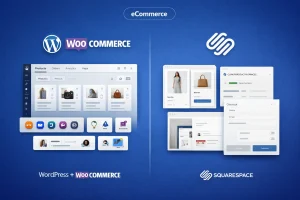
Squarespace’s eCommerce features are ideal for small shops with simple needs. You can add products, manage inventory, accept payments through Stripe and PayPal, and send customer notifications. You also get some helpful tools like discount codes and limited shipping settings.
WordPress, when paired with WooCommerce, becomes an enterprise-level eCommerce solution. I’ve built stores using WooCommerce that include custom product pages, multi-currency support, complex shipping logic, and integrations with CRMs and email marketing platforms.
If you’re planning to scale your online shop or want full control over the experience, WordPress is far more capable.
🏆 WordPress wins for scalable and advanced eCommerce websites
I’ve built stores using both, and WordPress with WooCommerce always wins when the store needs to scale. Squarespace is fine for small shops, but WordPress handles complexity better.
What Are the Disadvantages of Squarespace Compared to WordPress?
While Squarespace makes life easier in many ways, it comes with several limitations that have forced me to move clients to WordPress over time. The platform lacks flexibility, and you’re locked into Squarespace’s ecosystem. If you want to add a new feature or use a third-party tool not supported by Squarespace, there’s often no way around it.
Here are a few areas where I’ve felt most restricted:
- No plugin ecosystem for functionality expansion
- Limited ability to edit or access backend files
- Constraints around custom scripts or integrations
- Basic SEO that can’t be extended
- No server access or advanced performance control
🏆 WordPress wins for control, flexibility, and long-term capability
Squarespace just feels restrictive to me. When I want to implement something custom, I usually hit a wall and that’s where WordPress shows its true strength.
Should You Switch from Squarespace to WordPress?
I’ve helped several clients migrate from Squarespace to WordPress, and most of them were looking for more control, better SEO tools or eCommerce scalability. While the migration process isn’t always seamless, the long-term benefits have consistently made the switch worthwhile.
When clients want to integrate new systems or redesign their sites without starting over completely, WordPress gives them that freedom.
Which Platform Offers Better Scalability and Performance?
Squarespace handles all hosting and infrastructure, which is convenient, but it also limits your control. You can’t optimise server response time, add a CDN of your choice, or run server-level caching. This becomes an issue when you want to handle higher traffic or speed up complex functionality.
With WordPress, I’ve moved websites from shared hosting to cloud servers to handle traffic spikes. Using tools like caching plugins, CDNs, image optimisation, and server tuning, I’ve been able to scale WordPress sites well beyond what’s possible with Squarespace.
| Feature | WordPress | Squarespace |
|---|---|---|
| Hosting Control | Full | Fixed |
| CDN Integration | Any CDN supported | Built-in only |
| Server Access | Yes | No |
| Performance Tuning | Full | Limited |
🏆 WordPress wins for high-traffic readiness and site performance
I’ve scaled WordPress sites to handle huge traffic spikes, thanks to the hosting and caching options. Squarespace just doesn’t offer that kind of flexibility.
Which Ecosystem Has Better Plugins and Apps – WordPress or Squarespace?
Squarespace has a growing set of integrations, but it doesn’t come close to what WordPress offers. The WordPress plugin ecosystem contains over 59,000 free plugins and thousands more premium options.
Whether I need to add an SEO suite, marketing automation, popups, social media feeds or custom forms, I can always find the perfect plugin. And if not, I can build a custom solution using the WordPress API.
🏆 WordPress wins for ecosystem depth and plugin support
Every time I’ve needed to extend a site’s functionality, WordPress had the plugin I needed. That level of freedom just doesn’t exist on Squarespace.
Which Platform Is Better for Portfolio and Creative Websites?
Over the years, I’ve worked with several creative professionals, including photographers, illustrators, fashion stylists, and interior designers, who need polished, visual-first websites to showcase their work. Squarespace has consistently been my recommendation for this type of project, especially when time and simplicity are priorities.
Its templates are modern, clean, and clearly built with creative use cases in mind. Each one is optimised for large imagery, full-screen layouts, and simple navigation. The built-in galleries and lightbox effects are especially handy, and I rarely find clients needing anything beyond what the platform offers out of the box.
WordPress also supports portfolio sites, but setting one up requires more steps. While there are many themes built for portfolios and gallery-based layouts, you still need to install and configure them.
Plugins like Envira Gallery or NextGEN Gallery are useful, but they introduce additional complexity. If you’re a designer or visual artist who just wants to upload work and have it look great instantly, WordPress feels like a longer route to the same result.
| Feature | WordPress | Squarespace |
|---|---|---|
| Built-in Portfolio Templates | Available via themes | Included by default |
| Image Display & Galleries | Requires plugins | Built-in galleries |
| Animation Effects | Plugin or code | Native integration |
| Setup Time | Medium to high | Low |
| Client-Friendly UI | Varies by setup | Intuitive |
🏆 Squarespace wins for fast and visually impressive creative portfolios
Whenever a designer or artist needs a quick, beautiful website with minimal effort, I point them to Squarespace. The built in designs and media tools are ideal for showcasing work visually.
Which Platform Is Better for Team Collaboration and Multi-User Access?
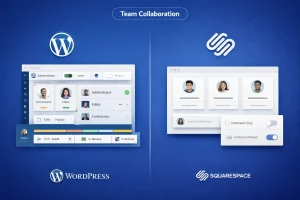
One of the key advantages of WordPress, especially for growing teams, is how it handles multi-user collaboration. I’ve managed many client websites that involve writers, editors, designers, marketers, and developers, all needing different access levels.
WordPress allows me to assign precise roles and responsibilities using its native user management system. The standard roles administrator, editor, author, contributor, and subscriber are usually enough.
But when I’ve needed more specific control, I’ve added plugins like User Role Editor or PublishPress to fine-tune what each team member can do. It’s especially helpful for editorial workflows, scheduled publishing, and multi-author blog environments.
Squarespace does offer contributor roles, but they are more limited. For instance, it’s difficult to have different content reviewers or restrict access to certain site sections without giving too much control. That limitation can slow down workflows when more than two or three people are managing content or design updates.
| User Management Feature | WordPress | Squarespace |
|---|---|---|
| Default User Roles | 5+ (fully customisable) | Basic contributor roles |
| Workflow Management | With plugins | Not available |
| Multi-Author Support | Excellent | Limited |
| Role-Based Permissions | Advanced | Basic |
| Editorial Plugins | Extensive options | Not supported |
🏆 WordPress wins for team-based content management and role flexibility
WordPress makes it easy for me to manage multiple contributors with different permissions. For any kind of team publishing or editorial control, it’s a much better fit than Squarespace.
How Have WordPress and Squarespace Grown Over the Past Five Years?
As someone who monitors CMS trends closely, I’ve watched WordPress and Squarespace grow steadily, but in very different ways. WordPress has remained the most used content management system globally, whereas Squarespace has focused on marketing itself as an all-in-one solution for creatives and small businesses.
WordPress has benefited from its open-source community, the rise of WooCommerce, and the increasing demand for flexible, scalable websites. From small blogs to full-scale enterprise platforms, its versatility has helped it grow year after year.
Squarespace, while smaller in global market share, has grown through strong branding and simplicity. It’s done particularly well with non-technical users, creatives, and service businesses. Its paid advertising, YouTube sponsorships, and user-friendly onboarding have all played a role in its rising popularity.
Here’s a year-by-year breakdown based on available CMS usage statistics and platform growth insights:
| Year | WordPress Market Share (Web Usage) | Squarespace User Base (Est.) |
|---|---|---|
| 2020 | 35% | 3.0 million sites |
| 2021 | 39.5% | 3.6 million sites |
| 2022 | 43.2% | 4.2 million sites |
| 2023 | 45.8% | 4.8 million sites |
| 2024 | 47.9% | 5.3 million sites |
| 2025 | 49.1% (approximate) | 5.8 million sites (estimated) |
What I find most telling is how WordPress continues to increase its share even as new platforms emerge. Squarespace’s growth is steady, but it doesn’t match WordPress’s sheer dominance and reach.
Even when accounting for the fact that many WordPress sites are experimental or under development, its influence across web development, blogging, and eCommerce is unmatched.
What Can We Expect from WordPress and Squarespace in 2026?

Looking ahead to 2026, I’m seeing some exciting developments on the horizon for both WordPress and Squarespace. Each platform is evolving in line with its strengths, and if you’ve used either in the past, the next year could bring major enhancements.
For WordPress, the focus is clearly on performance, integration, and enterprise use. With ongoing development in areas like Full Site Editing, block-based themes, and performance optimisation, WordPress is becoming more accessible to both beginners and developers.
I’m also seeing a strong push toward headless setups, where WordPress powers the backend while frontend frameworks like React or Next.js manage the display. This could be game-changing for high-performance sites.
Squarespace is heading in a slightly different direction. The platform is leaning heavily into AI-powered tools, automation, and creative design freedom. They’ve been working on smarter design suggestions, content writing support, and simplified workflows for business owners. If they continue down this path, 2026 might be the year Squarespace becomes the most AI-friendly visual builder on the market.
Here’s how I see their 2026 roadmap taking shape:
| Focus Area | WordPress in 2026 | Squarespace in 2026 |
|---|---|---|
| Design Innovation | Full Site Editing, block themes | AI-assisted layouts and animations |
| SEO & Performance | Native Core Web Vitals features, built-in caching | Improved built-in SEO tools and speed |
| AI Integration | Third-party plugin support (e.g. AI copywriting) | Native AI for content and branding |
| eCommerce Growth | Expanded WooCommerce features, better UX | Streamlined store setup and mobile-first commerce |
| Developer Tools | Headless CMS support, REST API, GraphQL | More design tools, less backend access |
| Target Audience | Developers, agencies, growing businesses | Creatives, freelancers, small business owners |
Personally, I’m excited about what WordPress is doing with performance and scalability. As someone who works on both simple blogs and enterprise-grade websites, these improvements mean less reliance on third-party tools and better experiences for end users.
Meanwhile, Squarespace seems to be making life easier for creative professionals who don’t want to think about code but still want to stay ahead visually and functionally.
Conclusion
After years of working with both platforms, I always come back to WordPress when I need full control, flexibility, and room to grow. It gives me the tools to build anything from a simple blog to a powerful eCommerce site.
That said, Squarespace is a brilliant choice if you value speed, simplicity, and elegant design without the technical fuss. Whichever platform you choose, make sure it aligns with your goals, not just today, but six months from now.
Now it’s your move, pick your platform and build something unforgettable.
FAQs About WordPress vs Squarespace
Is WordPress better than Squarespace for SEO?
Yes. WordPress supports powerful SEO plugins like Yoast and Rank Math, offering advanced optimisation tools Squarespace doesn’t have.
Can I switch from Squarespace to WordPress?
Yes, though you may need to manually recreate your site design. Content can be migrated using tools or developers.
Which is better for a UK small business?
WordPress offers more flexibility, but Squarespace may be quicker to set up for local businesses with simpler needs.
Is Squarespace cheaper than WordPress?
Not always. Squarespace has flat monthly fees, but WordPress can be cheaper if you choose affordable hosting and themes.
Can I use plugins with Squarespace?
No. Squarespace doesn’t support third-party plugins like WordPress does, which limits its extendability.
Which is better for a blog – WordPress or Squarespace?
WordPress. It was originally built for blogging and still leads in features and flexibility for writers.
Is Squarespace good for SEO in the UK?
It’s fine for basic SEO, but WordPress allows much deeper optimisation if search rankings are a priority.
