


If you’re wondering whether WordPress or Webflow is the better choice for your next website, my answer is this: WordPress is the stronger, more flexible platform overall, especially if you need scalability, custom functionality, or serious SEO performance. That said, Webflow is a fantastic tool if you’re after a beautifully designed website with minimal setup and zero maintenance.
I’ve used both extensively personally, and for clients and each has its place depending on your goals. Below, I break down how they compare in every critical area from pricing to long-term growth.
Key Answer Points:
- WordPress is more customisable and better for advanced development, blogging, and SEO.
- Webflow is easier to use and faster for building beautiful, responsive designs.
- WordPress offers more scalability, plugin integrations, and long-term control.
- Webflow requires less maintenance, with hosting, security, and backups included.
- WordPress wins for eCommerce, content-heavy sites, and enterprise growth.
- Webflow is ideal for designers, small businesses, and rapid-launch sites.
- In 2026, WordPress is evolving with headless architecture and AI tools, while Webflow is focusing on visual automation and design team collaboration.
Which Platform Is a Better Fit – WordPress or Webflow?
Both WordPress and Webflow are powerful tools for building websites, but they operate quite differently and cater to distinct types of users.
WordPress is an open-source content management system (CMS) that offers unmatched flexibility, making it ideal for developers, content creators, and businesses of all sizes.
Webflow, on the other hand, is a visual, no-code website builder aimed at designers, marketers, and creative professionals who prefer not to deal with the technical complexity of server setups or code editing.
From a usability perspective, WordPress gives me complete freedom. I can install it on any hosting provider, customise it down to the code level, and build out any type of site imaginable.
It’s great for blogs, corporate websites, large-scale eCommerce stores, or even portals and applications.
Webflow, while powerful in its own way, is more suited to users who value a sleek visual interface with intuitive layout controls and want to publish content without worrying about back-end infrastructure.
When building client websites that require deep integration or future expansion, I always lean towards WordPress.
But if someone just wants a marketing site or visual portfolio, Webflow is a great choice for quick launches and straightforward updates.
What Are the Pros and Cons of WordPress and Webflow?
Each platform brings its strengths and weaknesses to the table, and my decision often depends on the nature of the project.
WordPress Advantages
- Open-source and self-hosted, allowing full control over files, database, and code
- Huge plugin ecosystem to extend functionality, covering everything from SEO and forms to security and eCommerce
- Massive community support, tutorials, themes, and third-party integrations
- Customisable post types and taxonomies, which are ideal for structured content
- Scalable for high-traffic or enterprise-grade websites
Webflow Advantages
- Fully hosted platform, eliminating the need for server management
- Drag-and-drop editor with precision control over layout and responsiveness
- Built-in CMS that allows structured content editing without plugins
- Fast and secure hosting with backups and SSL automatically included
- Clean code output with minimal bloat compared to some WordPress themes
In my experience, WordPress gives me more options, especially when I need to accommodate custom workflows or advanced integrations.
Webflow does limit how much you can modify under the hood, but for simpler projects, that’s actually a benefit rather than a drawback.
How Do WordPress and Webflow Compare in Terms of Pricing?
Pricing is a major factor for most of my clients, and it often influences the platform choice more than any technical feature.
WordPress has more flexibility in pricing because it allows you to pick your own hosting provider, use free themes and plugins, or invest in premium ones as needed.
Webflow uses a fixed pricing model where everything is bundled, including hosting, which makes it predictable but sometimes more expensive depending on your site requirements.
WordPress.com Pricing (UK Annual Billing)
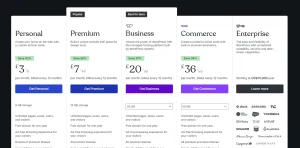
| Plan | Monthly (billed yearly) | Storage | Key Features |
|---|---|---|---|
| Personal | £3 | 6 GB | Ad-free, custom domain, basic support |
| Premium | £7 | 13 GB | Premium themes, advanced design tools, and Google Analytics |
| Business | £20 | 50 GB | Full plugin access, developer tools, WooCommerce support |
| Commerce | £36 | 50 GB | Enhanced eCommerce tools and store themes |
For users self-hosting WordPress, costs can be as low as £4–£8/month for basic hosting. Add in optional premium themes and plugins, and the average site still often comes in below Webflow’s pricing at equivalent levels of control.
Webflow Site Plans (Annual Billing)

| Plan | Monthly (billed yearly) | Bandwidth | CMS Support | Best For |
|---|---|---|---|---|
| Basic | $14 | 10 GB | None | Static sites, portfolios |
| CMS | $23 | 50 GB | Yes | Blogs, content-focused websites |
| Business | $39 | 100 GB | Yes | High-traffic sites, marketing |
Webflow becomes significantly more expensive as your CMS needs grow, especially for large content databases or advanced site features.
It’s worth noting that there’s no plugin marketplace like in WordPress, so extending features beyond what Webflow offers requires using custom code embeds or third-party integrations through services like Zapier.
Best Option for Flexibility: WordPress 🏆
I always appreciate being able to start small with WordPress and only spend on what I really need. Webflow is cleaner and easier to estimate, but once you need CMS or dynamic content, the costs increase quickly.
Which Is Easier to Use – WordPress or Webflow?
Ease of use is one of the most common deciding factors when I help someone choose between WordPress and Webflow. Whether you’re launching your first website or building for clients, how fast you can learn and use the platform impacts everything speed to launch, maintenance effort, and even content publishing.
My Experience with Webflow’s Usability
Webflow shines when it comes to interface design. The first time I used it, it felt like a blend of a graphic design tool and a website builder. The dashboard is clean, the elements are labelled clearly, and the visual feedback while designing is instant.
Even if you’ve never touched a line of code, you can quickly grasp how padding, margins, containers, and text styles work because it all happens in real-time.
Creating a responsive layout is seamless in Webflow. You don’t need a plugin or an extra tool; you simply switch between screen sizes and make adjustments visually.
This makes it ideal for marketers and designers who want more control than something like Wix or Squarespace offers, but without diving into the technical side of content management.
There’s also Webflow University, which I often recommend to clients who want to manage their site themselves. It offers excellent, interactive training resources that make onboarding easier for non-technical users.
However, when you start working with Webflow CMS, interactions, or custom components, the learning curve becomes more noticeable. While drag-and-drop is easy, understanding how classes, containers, and dynamic content collections work does require time and attention to detail.
My Experience with WordPress Usability
WordPress, on the other hand, used to be considered difficult for beginners, but that has changed over the years.
The introduction of the Gutenberg block editor has helped modernise the editing experience, and now, creating content is much more intuitive than before. It’s not quite as polished as Webflow visually, but it gets the job done effectively.
For new users, though, WordPress still requires more initial setup. Choosing a theme, setting up a menu, configuring widgets, and installing essential plugins can feel overwhelming. And while many web hosts offer one-click installations, there’s still a level of decision-making involved that doesn’t exist in Webflow.
Where WordPress becomes easier is with the use of page builders like Elementor, Divi, or Beaver Builder. These plugins bring drag-and-drop capabilities to WordPress, allowing you to design pages with blocks, widgets, and responsive controls. While not as seamless as Webflow’s native tools, they’re powerful and give you complete control over layout and design.
Day-to-Day Content Management
In terms of managing and publishing content, I find WordPress more efficient. Scheduling blog posts, managing tags and categories, adding authors, and controlling visibility settings is incredibly easy. Webflow’s CMS feels a bit rigid by comparison, especially when dealing with bulk editing or complex editorial workflows.
Maintenance and Updates
Webflow requires almost no maintenance. Updates, security patches, and performance optimisations are handled behind the scenes. With WordPress, you need to keep your themes and plugins updated regularly, and if you’re not using managed hosting, even core WordPress updates are your responsibility.
For me, this is less of an issue because I’m comfortable handling updates. But for a beginner, this extra layer of responsibility can be a sticking point.
Comparison Summary
| Feature | WordPress | Webflow |
|---|---|---|
| Visual Editor | Via third-party builders | Built-in, modern UI |
| Learning Curve | Medium | Low to Medium |
| Content Publishing | Flexible, powerful | Streamlined but less robust |
| Maintenance Requirements | High (manual updates) | Low (handled by Webflow) |
| Training & Onboarding | Community & tutorials | Webflow University, structured |
Most Beginner-Friendly: Webflow 🏆
When someone new to websites asks me which platform to try first, I usually suggest Webflow. It offers a balance of creative control and simplicity. For more complex needs, WordPress becomes easier over time, but initially, Webflow’s interface is more approachable and less intimidating.
What Design and Customisation Options Do WordPress and Webflow Offer?
Design flexibility is often the deal-breaker for those deciding between Webflow and WordPress. From working with both extensively, I can say they offer very different approaches to achieving a custom design, but one provides more depth if you’re willing to go there.
Design Control in Webflow
Webflow was built with designers in mind. Its entire interface is centred around precision control. From spacing and alignment to interactions and animations, it feels like using a design tool such as Adobe XD or Figma, except it creates actual functioning websites.
I can build completely custom layouts without touching a single line of code. The class and styling system is logical, and because it mimics front-end development, it produces clean, semantic HTML and CSS.
Interactive elements such as scroll animations, hover effects, transitions, and modal pop-ups are native to Webflow. These are often handled via plugins or external scripts in WordPress, but in Webflow, I can set them up in the interactions panel in just a few clicks.
Another area where Webflow stands out is responsive design. I can view and edit my design at breakpoints like mobile, tablet, and desktop in real time, ensuring everything scales properly without additional plugins or stylesheets.
However, Webflow does have limitations:
- Once you choose a template, switching requires redesigning
- Full control is limited to what the editor allows
- Some features (like sticky headers or advanced sliders) require manual workarounds
Design Flexibility in WordPress
WordPress allows for near-infinite customisation. Whether you’re using themes, page builders, or building from scratch, you’re only limited by your own coding skills or your budget to hire a developer.
Thousands of themes are available, many of which come with theme customisers or visual editors. Popular ones like Astra, OceanWP, and GeneratePress are lightweight, responsive, and designed to work well with page builders.
Speaking of builders, tools like Elementor, Divi, and Beaver Builder allow for drag-and-drop page creation. I’ve built dozens of websites using these tools, and the freedom they offer is incredible. You can modify layout structure, typography, colour schemes, and responsive behaviour all within a visual interface.
What makes WordPress truly powerful is that I can go far beyond what a builder offers. If needed, I can access the theme files, write custom functions, add JavaScript animations, or load third-party libraries to push the design beyond what’s normally possible in Webflow.
Custom Code and Developer Flexibility
Webflow allows custom code snippets within pages and headers, which is fine for most light use cases. But it doesn’t give you server-side access, custom database structures, or control over how templates are loaded. WordPress gives me all of that.
For example:
- I can create custom post types for testimonials, services, or portfolios
- I can assign custom taxonomies for filtering content
- I can write conditional logic in templates using PHP
- I can enqueue styles, scripts, and dependencies as needed
This means if a client wants a feature that doesn’t exist in a theme or plugin, I can build it from scratch. That level of freedom is what keeps WordPress my platform of choice for complex design projects.
Comparison Summary
| Feature | Webflow | WordPress |
|---|---|---|
| Visual Design Control | Native editor | Via Elementor, Divi, etc. |
| Template System | Choose once per project | Switch anytime |
| Animation and Interaction Tools | Built-in | Requires plugins or custom code |
| Responsive Editing | Real-time in editor | Builder or theme dependent |
| Full Code Customisation | Limited | Complete access |
| Developer Tools | Minimal | PHP, JS, custom functions |
Best for Creative Control: WordPress 🏆
Webflow gives you precision and simplicity for visual design, and it’s a joy to work in. But when I need total freedom, WordPress is the better choice. Whether it’s for a custom header, a dynamic post layout, or integration with an external API, WordPress lets me control everything from the ground up.
Which Platform Offers Better SEO Capabilities?
Search engine optimisation is a big part of my workflow, and I’ve seen huge differences in how the two platforms handle it.
Webflow does a good job with the basics. It allows you to edit meta titles, descriptions, alt tags, and Open Graph settings. It also includes automatic sitemap generation and basic schema support.
WordPress, with the right plugins, can go much deeper. I regularly use tools like Yoast SEO and Rank Math to control every aspect of on-page and technical SEO.
They provide advanced features like canonical URLs, content analysis, redirect management, rich snippets, and full control over indexing.
Combine that with caching, performance plugins, and CDN integration, and WordPress gives me all the tools needed to optimise at scale.
SEO Tools Comparison:
- Webflow: Simple to use, no need for plugins, good for basic SEO
- WordPress: More powerful with plugins, better for advanced SEO strategies
Most Powerful for SEO: WordPress 🏆
For high-ranking sites and competitive keywords, I always use WordPress. The plugin options and ability to fine-tune performance and structure make it the platform of choice for serious SEO work.
Is WordPress or Webflow More Secure?

Security is another major area of concern, especially for client sites that handle user data or eCommerce transactions.
Webflow has a major advantage here because it handles hosting, software updates, and security patches internally.
There’s no server access or manual maintenance needed. SSL is automatically enabled, backups are performed regularly, and the platform is protected against DDoS attacks by default.
With WordPress, the responsibility is on you or your hosting provider. You need to update plugins and themes, manage backups, install security plugins like Wordfence or Sucuri, and ensure your hosting environment is secure.
It can be overwhelming for users who aren’t tech-savvy, but for me, it’s manageable with the right setup.
Security Feature Comparison:
- Webflow: Automatic updates, backups, SSL, secure hosting included
- WordPress: Dependent on plugins and hosting setup
Best for Peace of Mind: Webflow 🏆
I recommend Webflow to clients who don’t want to think about site maintenance. WordPress can be just as secure, but it takes work, and there’s more risk of issues if updates aren’t handled properly.
How Do Webflow and WordPress Compare for Blogging?
Blogging is where WordPress excels, and it always has. It was originally built for content publishing, and it shows.
The block editor makes it easy to structure long-form content, and there are thousands of plugins that help manage categories, tags, RSS feeds, email subscriptions, comment systems, and more.
Webflow’s CMS is great for visual designers who want to lay out content-rich pages with design flair, but it lacks the robustness of WordPress.
The post editor is less focused on writing flow and more on how the blog template is structured.
Blogging Platform Comparison:
- WordPress: Best for writers, editors, and publishers
- Webflow: Best for designers building content templates
Top Pick for Writers: WordPress 🏆
As a writer myself, WordPress is still the best tool for consistent blogging. It gives me everything I need to organise, schedule, and promote content across channels.
What Does Market Share Tell Us About WordPress vs Webflow?

Market share is a good indicator of long-term reliability and support. According to the latest data, WordPress powers nearly 49% of all websites globally.
It continues to grow year after year. Webflow, while gaining popularity, represents a small but growing portion of the CMS market.
| Year | WordPress Market Share | Webflow Estimated Users |
|---|---|---|
| 2020 | 35% | ~2 million |
| 2021 | 39.5% | ~3 million |
| 2022 | 43.2% | ~3.8 million |
| 2023 | 45.8% | ~4.5 million |
| 2024 | 47.9% | ~5.5 million |
| 2025 | 49.1% | ~6.8 million |
Webflow is clearly on the rise, but WordPress’s dominance means better community support, more developers, more themes and plugins, and a stronger future outlook.
Most Trusted Globally: WordPress 🏆
I’ve never had a project that couldn’t be done on WordPress. Webflow is catching up in features, but WordPress remains the industry standard for good reason.
Which Platform Is Better for Long-Term Scalability?
For businesses or publishers planning long-term growth, scalability is crucial. WordPress handles large amounts of content, high traffic, and complex structures with ease.
You can upgrade hosting, use caching tools, integrate CDNs, and even go headless if performance is a top priority.
Webflow is more limited in this regard. It places caps on the number of CMS items and lacks access to the server environment, which restricts your ability to optimise or integrate with advanced tools.
It’s perfectly fine for portfolios and marketing sites, but I’ve run into issues when trying to scale complex structures.
Best for Growth: WordPress 🏆
If you plan to scale your business or website, WordPress is the safer long-term choice. It’s battle-tested, and the infrastructure is fully within your control.
Which Platform Offers Better Plugin and App Ecosystem?
One of the biggest strengths of WordPress is its vast plugin ecosystem. With over 59,000 free plugins in the WordPress repository (not including thousands of premium options), I can usually find a plugin for just about anything SEO, forms, security, caching, marketing, membership, and much more.
These plugins often work well together, and the freedom to choose, customise, or even develop my own plugin makes WordPress incredibly powerful.
I’ve worked on projects where we needed custom integrations with CRMs, live chat systems, learning management tools, or eCommerce gateways. With WordPress, it was never a problem.
Webflow doesn’t offer the same kind of plugin system. While it does include an App Marketplace and allows some external integrations, the choices are far fewer.
You can embed third-party scripts or connect to external platforms using tools like Zapier or Make, but it’s not as seamless or native as WordPress.
The lack of deep app-level control in Webflow means that for highly functional or dynamic websites, the platform can feel limiting.
Especially if I’m building something beyond marketing content like a membership portal or custom dashboard I often hit a ceiling.
Plugin Ecosystem Comparison:
- WordPress:
- 59,000+ plugins available
- Deep integrations with CRMs, eCommerce, and marketing tools
- Full control to modify or build plugins
- Webflow:
- Limited app integrations
- Mostly third-party embed scripts
- No plugin development framework
Top Choice for Extensibility: WordPress 🏆
Whenever a client asks for a specific feature, I almost always know there’s a plugin for it in WordPress. With Webflow, I have to work around limitations or use external services, which adds complexity. WordPress wins when you need custom functionality without custom code every time.
Which Platform Provides Better eCommerce Capabilities?
eCommerce is one area where the platform choice can seriously impact business operations. I’ve built many online stores and product-driven sites, and the difference between WordPress (with WooCommerce) and Webflow is substantial.
WooCommerce, the most widely used eCommerce plugin for WordPress, offers a full set of features right out of the box.
You can manage unlimited products, support various payment gateways, create discount systems, manage stock levels, calculate shipping rates, and run subscriptions or memberships. It’s incredibly robust and has a large ecosystem of add-ons.
Webflow does support eCommerce, but it’s still quite basic by comparison. You can add products, manage categories, and set up Stripe or PayPal payments, but there’s a ceiling.
If you want to implement complex tax rules, product bundling, variable subscriptions, or integrations with accounting software, Webflow isn’t as flexible. Plus, transaction fees apply on certain plans.
Here’s how the platforms stack up:
| Feature | WordPress (WooCommerce) | Webflow eCommerce |
|---|---|---|
| Product Types | Physical, digital, variable | Physical, digital |
| Payment Gateway Support | Stripe, PayPal, Authorize.net, Klarna, and many more | Stripe, PayPal |
| Shipping & Tax Rules | Highly configurable | Basic |
| Subscriptions | Supported via plugins | Limited support |
| Integrations | Extensive | Moderate |
| Customisation | Full control | Limited |
Best for Online Selling: WordPress 🏆
If your online shop needs room to grow, WordPress with WooCommerce is the better foundation. I’ve set up stores that grew from ten products to over a thousand, with layered filters, upsells, advanced checkout flows, and marketing integrations. Webflow works well for small shops, but once you need anything more than the basics, you’ll feel the limitations.
What Can We Expect from WordPress and Webflow in 2026?

As someone who actively works with both platforms and follows their roadmaps closely, I’ve noticed some clear directions emerging from both the WordPress and Webflow teams. In 2026, the competition isn’t just about features or design anymore; it’s about innovation, scale, and how well each platform can meet the changing needs of users across industries.
How WordPress Is Evolving in 2026
WordPress has always been known for its flexibility, and that trait is only strengthening this year. A major focus in 2026 is on performance, headless architecture, and deeper enterprise-level support.
One of the biggest trends I’m seeing is the growth of Headless WordPress setups. More developers are separating the front-end from the back-end and using frameworks like React, Vue, or Next.js to deliver lightning-fast experiences powered by WordPress as the content engine.
This is a big shift that allows agencies like mine to build custom experiences without being constrained by WordPress’s front-end limitations.
Another change is the rise of WordPress Cloud, which offers a scalable, managed hosting infrastructure built directly by the WordPress.com team. It combines the performance benefits of cloud architecture with the simplicity of WordPress. It’s especially useful for businesses that want the convenience of managed hosting without sacrificing control.
And then there’s the AI integration trend. Tools like Jetpack AI and other plugins are starting to incorporate generative content features, keyword suggestions, and accessibility enhancements. It’s still early, but I see this becoming part of the default WordPress toolkit in the near future.
Key WordPress 2026 Trends:
- Growth of headless WordPress with front-end frameworks
- Expansion of WP Cloud for enterprise-scale hosting
- Native performance improvements in Core (especially Core Web Vitals)
- AI-assisted content, SEO, and accessibility tools via plugins
- Improved block-based editing with Gutenberg Phase 3
- Increased adoption in large organisations and institutions
Where Webflow Is Heading in 2026
Webflow, by contrast, is leaning hard into visual innovation and automation. It continues to position itself as the go-to platform for creative professionals and marketing teams who need to launch fast, look polished, and maintain without developers.
One major area Webflow is expanding in 2026 is AI-powered web design. The Webflow AI assistant now helps generate layouts, suggest styling choices, and even write on-brand copy directly in the designer. I’ve tested it on a few projects; it’s not perfect yet, but for small teams without content writers, it’s surprisingly effective.
Another development is the evolution of Webflow Studio, which now supports more collaboration features and design system management. This is a big deal for agencies that need to build multiple brand sites under one system or manage design consistency at scale.
Webflow is also pushing more into e-commerce and native marketing automation. While still not on par with WooCommerce or Shopify, it’s made good progress in offering built-in product filters, abandoned cart recovery, and better stock management.
Key Webflow 2026 Trends:
- Webflow AI for auto-layouts, content suggestions, and design refinements
- Expanded CMS item limits and performance tuning for content-heavy sites
- Enhanced Studio tools for teams and design systems
- Deeper eCommerce capabilities with improved checkout and inventory features
- Smoother integration with CRMs and third-party tools
- Stronger mobile-first and accessibility controls in the visual editor
Platform Strategy Comparison for 2026
| Area of Focus | WordPress | Webflow |
|---|---|---|
| Target Users | Developers, agencies, enterprise | Designers, freelancers, marketers |
| Innovation Strategy | Open-source, extensibility, scale | No-code, visual-first, speed to launch |
| AI Integration | Plugin-based via Jetpack, Rank Math | Native assistant for design & content |
| Hosting Model | Self-hosted or WP Cloud | Fully hosted, all-in-one |
| Performance | Headless setups, caching improvements | CDN-optimised by default |
| Team Collaboration | Multisite and plugin-based | Studio dashboard for design teams |
| Learning Curve | Medium to High | Low to Medium |
From what I’ve seen so far in 2026, both platforms are improving quickly, but in very different ways. WordPress continues to deepen its technical capabilities and open-source dominance, while Webflow is focusing on creative agility, automation, and fast iteration.
Best Platform for Innovation in 2026: WordPress 🏆
As someone who pushes platforms to their limits, I’m more excited by what WordPress is doing this year. Headless WordPress, WP Cloud, and AI-assisted content editing open up possibilities I just can’t achieve with Webflow yet. For teams looking to scale performance and customisation, WordPress remains the more future-proof platform in 2026.
Conclusion
After working with both WordPress and Webflow across dozens of projects, I can confidently say that WordPress is my go-to for flexibility, growth, and total control, while Webflow is unbeatable for speed, visual design, and ease of use.
The choice ultimately depends on your goals but either way, you’re stepping into powerful territory.
So pick your platform, build boldly, and make 2026 the year your website truly stands out.
FAQs About WordPress vs Webflow
Is Webflow good for SEO in the UK?
Yes, for basic SEO needs, Webflow is great. But WordPress is better suited for deep optimisation and SEO plugin use.
Can you migrate from Webflow to WordPress?
You can, but it’s not seamless. You’ll likely need to recreate designs and manually transfer content.
Which platform is better for e-commerce?
WordPress (with WooCommerce) is more scalable and flexible for online stores than Webflow.
Does Webflow include hosting and backups?
Yes, Webflow includes hosting, SSL, and automated backups in every plan.
Is WordPress more secure than Webflow?
It depends on your setup. Webflow is more secure out of the box. WordPress requires active management.
Is Webflow good for beginners?
Absolutely. Its visual editor and built-in tools make it ideal for non-developers.
Does WordPress have better plugin support than Webflow?
Yes. WordPress has over 59,000 plugins. Webflow does not support third-party plugins in the same way.
